product photography automation
Product Photography Automation: A Practical Workflow Guide
Learn how product photography automation works, from capture rigs and AI generation to QA and compliance, with real cost and time tradeoffs.
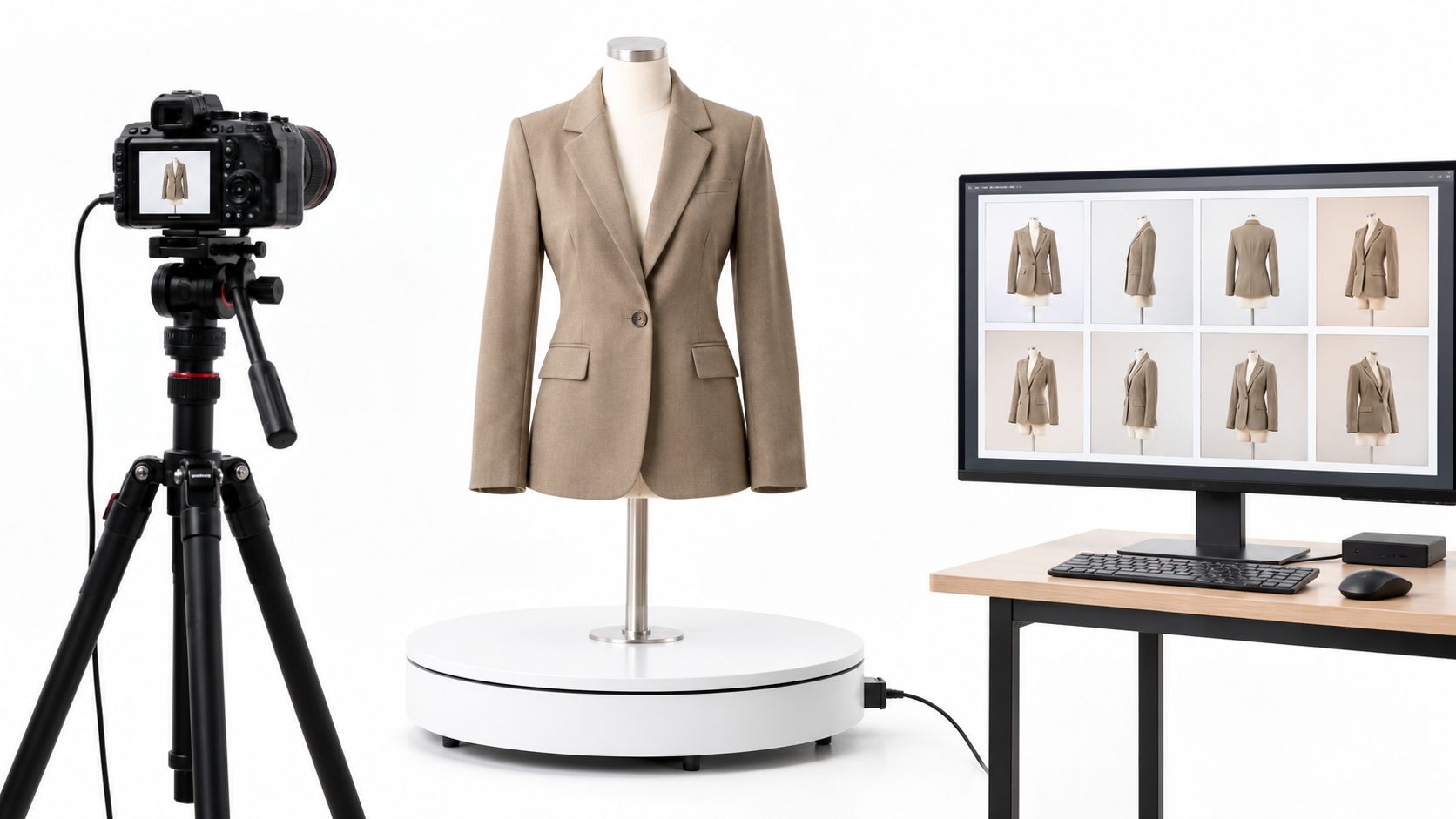
About one in four online apparel orders came back in 2023. Looklet's review of fashion ecommerce returns reports that Coresight Research estimated the average online apparel return rate in the United States at 24.4%, with fit and sizing as major drivers, while 34% of respondents blamed misleading product images and 29% blamed inaccurate product information. Product photography automation only pays off when those images stay faithful to the SKU. A convincing but wrong picture can cost more in returns and marketplace disputes than the studio day it replaced.
Table of Contents
- Automation Levels Compared by Cost and Time
- How to Set Up Capture Automation
- Building an AI Image Pipeline from Source to Export
- Quality Checks and Failure Modes to Catch
- Compliance and Export Rules Across Channels
- Matching Automation Level to Catalog Risk
- Run a One-Category Pilot Before Scaling
Automation Levels Compared by Cost and Time
For most catalogs, the lowest cost per approved image comes from a capture rig that runs every day. AI generation mainly buys speed for new on-model and scene variants, not a cheaper substitute for a packshot you can still shoot from the garment in hand.
| Approach | Main cost driver | Time per image | Best use |
|---|---|---|---|
| Manual studio shoot | Studio rent, lighting, photographer and model day rates | 10–20 minutes per packshot plus editing | Hero images and campaign shoots with real styling |
| Automated capture rig | Equipment and setup time; little labor per shot | 2–5 minutes per packshot | Packshots, front and back views, detail close-ups |
| Background removal and batch retouching | Software licence or per-image outsourcing fees | Seconds to a few minutes per image | Cleaning up existing photos for consistent backgrounds |
| AI generation from a garment photo | Per-generation credits or API fees | 15–30 seconds per generated outfit image | New on-model and scene variants at speed |
| Hybrid capture plus AI augmentation | Rig, generation fees and QA labor | 2–8 minutes once sampled review is included | Large catalogs with mixed risk levels |
Treat every time cell except AI outfit generation as a planning estimate. Replace it with a timed run on your own floor. Outfit generation on Vtry AI takes 15–30 seconds per image, which is why teams stack it on top of capture rather than instead of it. A wider look at AI tools for ecommerce helps when you are choosing the generation layer, not when you are pricing the rig.
Why the cost column understates risk
Day rates and credit fees ignore what happens after publish. A fast image that shifts a hem, a print, or a color creates returns, complaints, and listing disputes. Those costs never appear in a per-generation price.
Read the table as total cost divided by approved images, not generated ones. Rejects and review minutes belong in the denominator's opposite, the actual cost.
Say a capture rig and its setup cost 6,000 and yield 1,000 approved packshots over a year, while a manual studio day costs 1,200 for 40 images. The rig lands at 6 per approved image against 30 for the studio, before review time is added to either side. If half the AI variants fail QA, the "seconds per image" row stops looking cheap.
How to Set Up Capture Automation
A studio manager can lock a repeatable station in one afternoon. The point is identical framing, light, and scale, so later automation has a clean source.
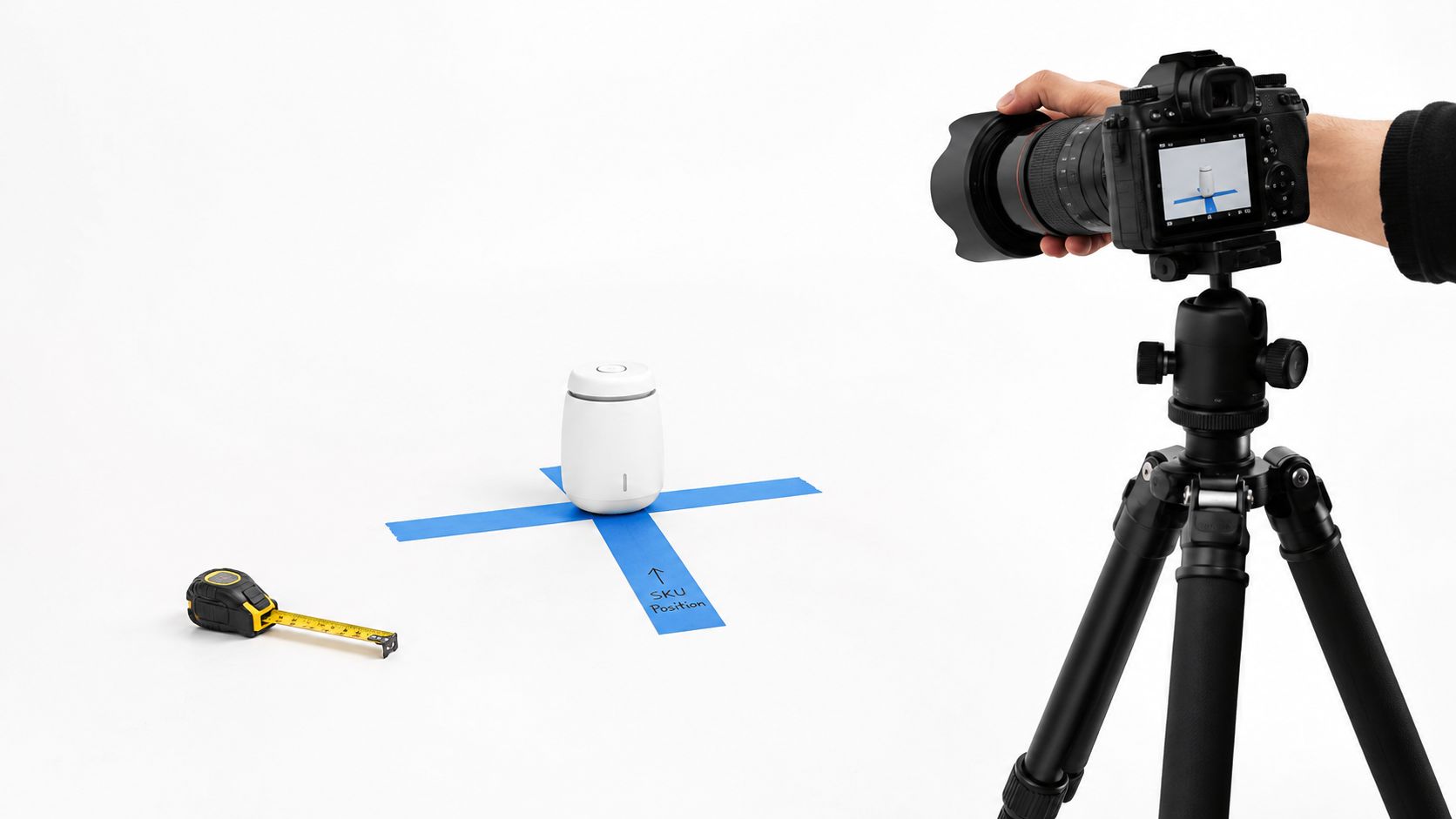
- Fix the camera. Set height, distance, and lens focal length, then mark the floor with tape so every SKU lands in the same frame. A moved tripod is the usual reason two "identical" packshots don't match.
- Lock exposure and white balance. Shoot a grey card at the start of each batch. Auto white balance will drift between a navy knit and a white tee and make the collection look like two brands.
- Tether into SKU folders. Save files straight from capture software with the product ID in the filename. Renaming a dump of DSC files at the close of a long shoot is where assets get swapped.
- Standardize the body and the scale cue. Use a turntable or an invisible mannequin for front, back, and side, plus one fixed reference object or a written model-height convention. Baymard's in-scale image research reports that 42% of users try to determine product size from product-page imagery, yet 28% of sites lacked an in-scale image.
- Shoot details at a set distance. Stitching, hardware, and weave get their own angle, marked on the table, so close-ups don't wander between operators.
- Run about 10 SKUs first. Compare them side by side for scale, color, and framing before the full run. A bad template caught at ten SKUs is a short reshoot. Caught at four hundred, it is a lost week.
The slip that ruins a collection is changing the lens, the distance, or the light between sessions. Each file can still be sharp. Shoppers comparing two colorways will see different proportions.
Practical rule: Decide shadows and backgrounds once, inside the template, not per shoot.
Pixelz's 2024 E-commerce Visual Trend Report found that 91.53% of product images it processed that year had no shadow. If your channels want that look, bake a no-shadow export into the preset. Don't leave it to whoever is on the rig that afternoon.
A short walkthrough of a tethered setup is worth watching before you tape the floor.
Building an AI Image Pipeline from Source to Export
Background removal, upscaling, and compositing are not a quality guarantee. A clean cutout can still misstate material, scale, or construction. Build the pipeline so every file can be inspected, not just admired.
Baymard usability testing on resolution and zoom found that 56% of users first explored product images on arriving at a product page, while 25% of ecommerce sites supplied insufficient resolution or zoom. Low-quality or non-zoomable images contributed to product abandonment. That is why the master file, not the social crop, is the asset you protect.
Six stages, each with an owner
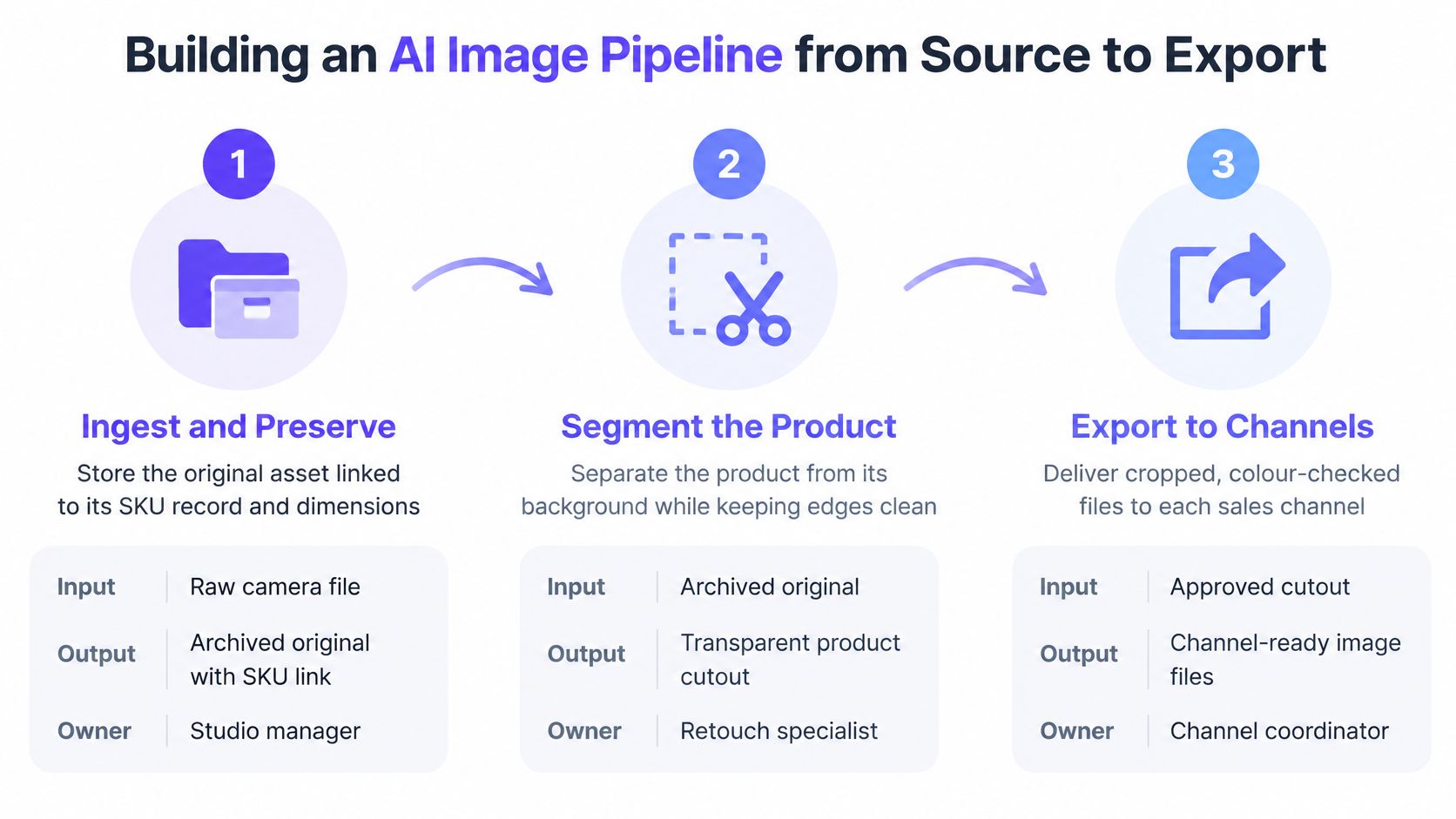
- Ingest and preserve. Input is the raw camera file plus the SKU record and dimensions. Output is an archived original that nobody overwrites. Owner: studio manager.
- Segment. Input is that original. Output is a cutout that still shows edges, texture, logos, seams, and small hardware. Sheer, fringed, and tight knits fail here first. Owner: retouch specialist. If your team is still comparing cutout tools, product photo editing online is a useful shortlist, but the acceptance test stays the same.
- Generate standard views. Input is the approved cutout or garment photo. Output is front, back, detail, and one in-context view. Change one variable at a time so a bad hem can be traced to a prompt, not a mystery.
- Render derivatives. Input is a high-resolution master. Output is responsive sizes with enough zoom for weave and hardware. Don't let a mobile crop be the only file you keep.
- Run automated checks. Input is every derivative. Output is a pass or a reason code, covered in the next section. Owner: the pipeline, not a person clicking through thumbnails.
- Route failures. Patterned apparel, reflective goods, transparent materials, and anything bought for fine texture go to a person before publish. Owner: the category lead.
A visually clean image can still be the wrong product. Similarity to the source, plus an attribute check, beats a pretty thumbnail.
Keep one record per asset that links source file, derivative, model version, prompt, and approval status. Trigger the pipeline when a new SKU enters the catalog, not when someone remembers to upload a folder. Manual drops are where originals get detached from the sellable item.
Quality Checks and Failure Modes to Catch
Speed without a reason code is how bad images reach the PDP. One enterprise survey covered by Photoroom's fidelity-gap article found that 37% of leaders named inaccurate or misrepresented visuals as their top concern in AI image production. The same article reports that 71% of consumers have returned products because the item didn't match its description, while 77% consider high-quality images and video important to purchase decisions.
| Symptom | Likely cause | Check before publishing |
|---|---|---|
| Logo or text looks redrawn | Generative model reconstructed the print or label | OCR check and zoom comparison against the source file |
| Pattern repeat or scale shifted | Model re-scaled or re-drew the print | Overlay generated and source images at 100% zoom on repeat points |
| Hem, sleeve or pocket in the wrong place | Geometry drift during composition | Landmark comparison against the product record and reference mask |
| Colour differs from the physical swatch | Colour profile or relighting change | Colour difference check against the swatch under fixed light |
| Accessory or hardware missing | Segmentation dropped small parts | Per-SKU attribute checklist before approval |
| Transparent or reflective edges look wrong | Compositing artifacts | Mandatory human approval at zoom |
Reason codes and the approval record
Every reject gets a reason code taken from that symptom list. A cluster of "pattern repeat shifted" after a prompt change is a model problem. Three isolated "hardware missing" codes in a week are a segmentation problem. Without the code, both look like "QA being picky."
The approval standard is fidelity to the sellable SKU, not polish. A convincing wrong image creates more returns and marketplace disputes than an obviously basic packshot, because shoppers trust it.
For each published file, store the approver, the date, the model version, the source file ID, and the check results. After any model or prompt change, re-check a sample of images you already approved before that version goes live. Yesterday's pass doesn't travel with today's model.
Compliance and Export Rules Across Channels
Ordinary edits and generative changes are not the same job, and treating them as one export is how a legal file becomes a channel problem.
Background removal, color correction, and cropping adjust how you present a photo you shot yourself. Generative changes to garments, bodies, scenes, or model identity create or alter what the shopper thinks they are buying. Disclosure questions attach to the second kind.
The European Commission's FAQ on Article 50 states that, from 2 August 2026, providers of systems that generate or manipulate synthetic images must ensure the content is marked in a machine-readable format and detectable as artificially generated or manipulated. Standard editing assistance is treated differently. That date is a deadline to design for, not a rule that is already in force. Confirm the reading for your markets with counsel. This is a workflow point, not legal advice.

One asset, four doors
Store these fields on every file: source asset ID, model and version, prompt, reviewer, approval status, export destination, and geography.
Say the same on-model coat goes to an EU product page, a paid social ad, a marketplace, and a retailer feed.
- EU product page: machine-readable marking may be required once the obligation applies, if the image was generated or materially manipulated.
- Paid social: a visible "AI" label can lower trust on a fit-sensitive ad even when the garment is accurate. Test it. Don't hide the mark in a way you can't defend.
- Marketplace: acceptance rules often care more about white backgrounds, text in the image, and whether the item matches the listing. Product images for Amazon is the kind of channel rulebook to check before a batch, because a policy reject costs more than another review pass.
- Retailer feed: the buyer may ban synthetic models entirely, regardless of how clean your metadata is.
An asset-level audit trail beats a Slack thread nobody can find in six months. Before anything generated goes live, the team needs rights to the people, garments, brands, and source images. We treat that as a condition of using outputs on product pages, campaign tests, ads, and social posts.
Matching Automation Level to Catalog Risk
Human review should follow visual risk, not the calendar. A logo-heavy hoodie needs a different pass rate from a plain black tee, and a seasonal drop of hundreds of SKUs makes 100% review unaffordable if you apply it to everything.
| Catalog case | Automation level | Review rate to start | Reason |
|---|---|---|---|
| Plain solids, simple knits and basics | Capture rig plus background removal | 10% sample | Low visual risk and few attributes to misstate |
| Patterned, printed or logo-heavy garments | Capture plus AI detail and in-context views only | 100% | Pattern and text errors are visible and costly |
| Sheer, reflective or transparent materials | Capture only; AI limited to backgrounds | 100% | Compositing errors misrepresent the material |
| Seasonal drops of hundreds of new SKUs | Full pipeline with AI on-model and scene variants | 20% sample plus 100% for high-risk items | Volume rules out full review; sampling catches drift |
| Marketplace listings with strict image policies | Capture first; AI variants after a policy check | 100% for the first batch | Channel rules vary and rejections cost more than review |
| Premium items where fit drives the sale | Capture rig with on-model views and scale images | 100% | Fit and proportion errors drive returns |
A schedule you can actually staff
- Review every output in a new category for the first 50 approved images.
- Move to the sample rate in the table only after the error rate stays low across two or three prompt or model changes.
- If rejection rises after a model update, put that category back on full review until you know why.
- Check each channel's image rules before the batch ships. A marketplace ban overrides your internal sample rate.
Decide per category, not per store. One catalog usually mixes low-risk basics with premium items where a wrong sleeve width becomes a return.
Run a One-Category Pilot Before Scaling
Don't automate the whole catalog because a demo looked fast. Run one category of 20–30 SKUs that mixes simple and moderately complex items, over eight to twelve weeks.
- Record the baseline. Cost per approved image, days from garment arrival to live listing, image-related complaints, and the return rate.
- Stand up the station and the pipeline with the capture locks and the six stages above.
- Apply the review rates from the risk table and log every rejection with a reason code.
- Compare the same four numbers after at least one full order cycle. A short window lies when seasonal returns land late, so write the cycle dates next to the figures.
Scale only if cost per approved image falls, complaints don't rise, and the return rate holds or improves. A pilot that holds is a signal to add the next category, not to flip the entire catalog to generation. Pick that category and book the capture station this week.
Vtry AI is an AI fashion photo studio for outfit images, built so generation sits inside a checked pipeline rather than a one-off render. You can combine people with garments, edit the result, and export for product pages, tests, ads, and social posts when you hold the rights to the inputs. See how the workflow fits your catalog at Vtry AI.