try clothing online
Try Clothing Online: How Virtual Try-On Works in 2026
Learn how to try clothing online with AI and AR try-on, fit accuracy limits, privacy checks and return savings. A practical guide for shoppers and brands.
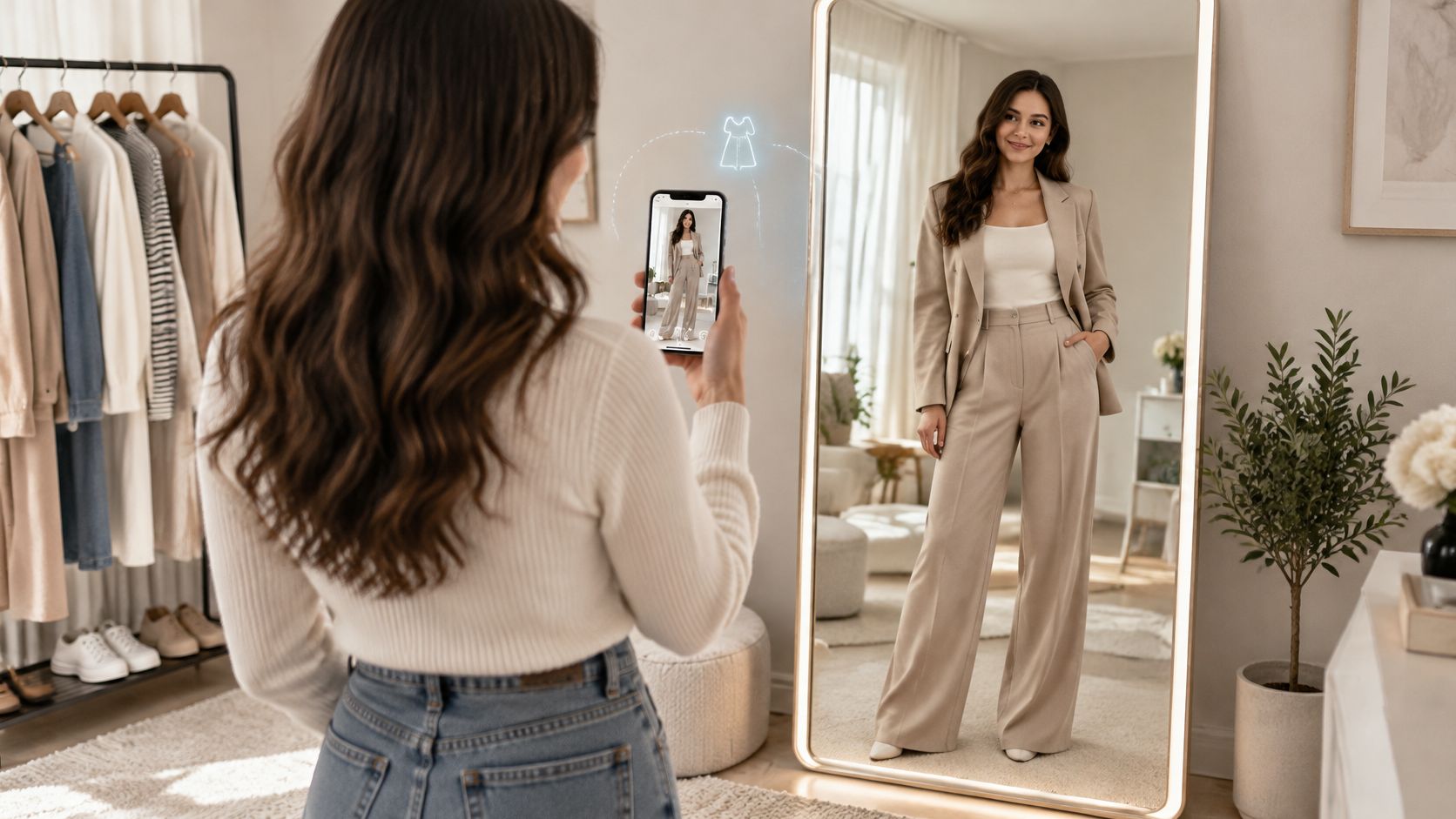
If an online try-on picture looks exactly like you, does that mean the clothes will fit? That's the gap between what shoppers see and what a virtual fitting tool can establish.
When you try clothing online, you're asking several different questions: Does this colour suit me? Can I wear these pieces together? Which size should I order? A generated picture can help with the first questions without answering the last. For retailers, the useful approach is to connect outfit visualisation with measurements, honest product information, and clear photo permissions, rather than asking a realistic image to do everything.
Table of Contents
- Five Ways to Try Clothing Online Compared
- How to Build a Try-On Image in Five Steps
- Why Try-On Images Can Mislead on Fit
- Return Costs and Metrics That Prove Try-On Pays
- Your Photos, Privacy and Consent
- Trust Signals Shoppers Look For
- Choose Your First Try-On Test
Five Ways to Try Clothing Online Compared
Five ways to try clothing online
| Method | How it works | Best for | Main limit |
|---|---|---|---|
| AR overlay | A phone or camera places the garment over a live view of you | Accessories, eyewear and shoes | Fit is approximate and lighting affects results |
| AI-generated try-on | A model combines a person photo with garment photos to render an outfit | Seeing full outfits and styling before buying | Shows appearance, not physical fit |
| Size-recommendation tool | Compares your measurements with brand size charts | Choosing a size across brands | Requires accurate measurements and brand grading |
| Multi-size home try-on | You order several sizes and return those that don't fit | Shoppers who want no digital tool | Return handling for merchants and extra work for shoppers |
| In-store fitting room | Physical try-on, with staff help where available | Tailored and formal garments | Requires a store visit and stock on hand |
Think of a try-on image as a styling mirror, not a tailor's tape measure. It helps you judge the outfit's appearance. A size tool performs a different job, comparing body information with sizing rules to suggest a label.
AR and generated images also work differently. An AR overlay follows a camera view, while an AI-generated try-on creates a new image from references. Neither method should be assumed to simulate fabric pressure, movement, or the space between your body and the garment.
There's evidence that shoppers find visual tools useful. In a 2025 global study commissioned by Snapchat with Publicis Media and NRG, 67% of surveyed Snapchat users across the United States, United Kingdom, Canada, Saudi Arabia, and France agreed that AR virtual try-on made online purchase decisions easier, according to Snapchat's account of the study. That's a finding about decision-making among that surveyed group, not proof of accurate sizing.
Choose complementary methods
A sensible store setup combines tools rather than treating them as substitutes. For example, a shopper might preview a jacket with their existing trousers, consult the jacket's measurements, then choose whether an in-store fitting is worth the trip.
When comparing virtual fitting room software, identify which question each feature answers. A convincing preview and a size recommendation belong beside each other, not behind the same vague promise.
AI-generated and AR try-on are the visual methods explored here. Measurements, physical fitting, and return options still matter because they address uncertainties that a screen can't resolve.
How to Build a Try-On Image in Five Steps
Start with references you can inspect easily. A clear person photo and an identifiable garment give you something concrete to compare with the result; a heavily cropped outfit photograph makes that comparison harder.
Our workflow separates person onboarding, garment import, and generation. The routine below adds review and editing as explicit checks, so producing an image doesn't become the same thing as approving it.
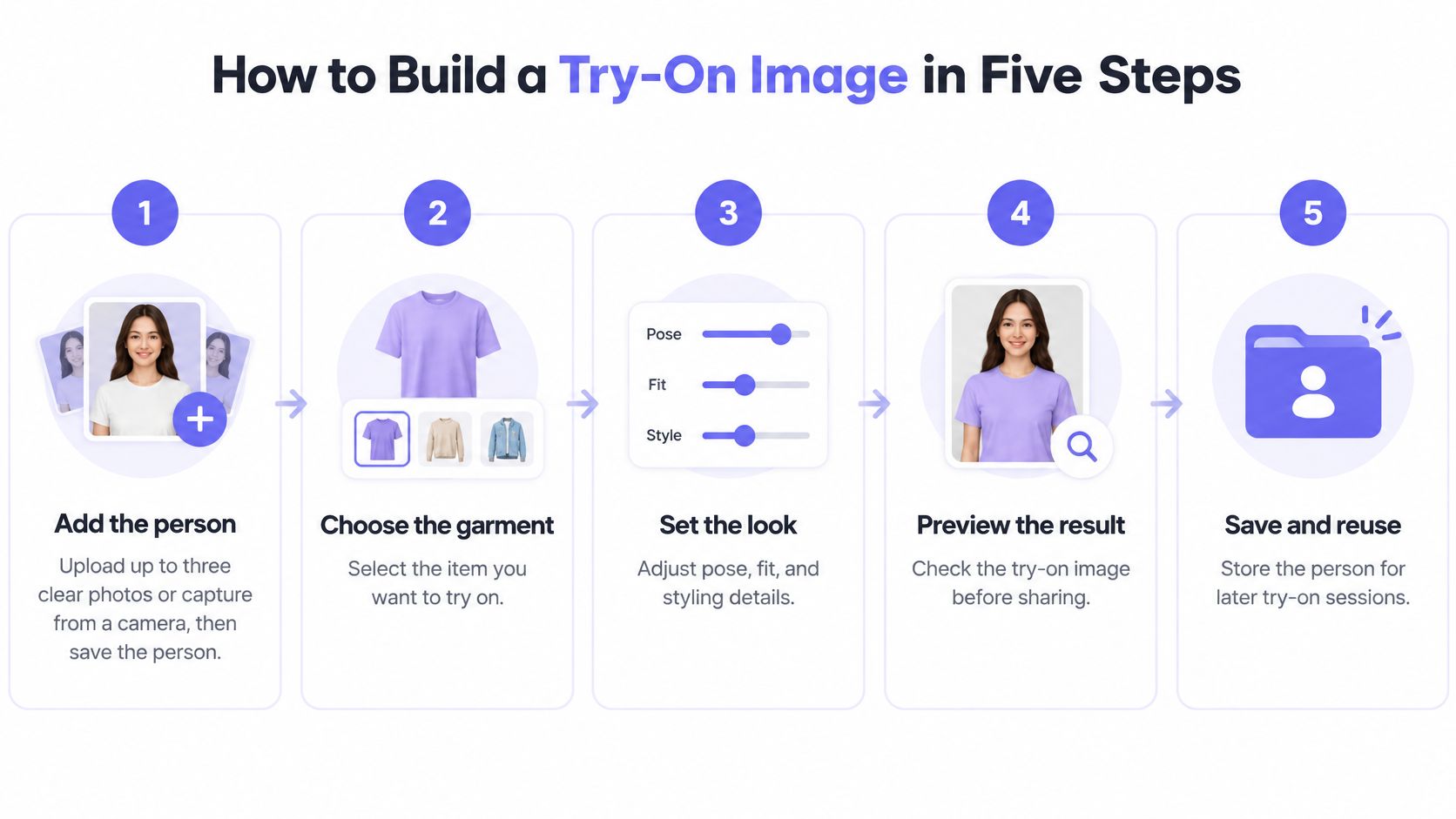
Prepare, generate, and inspect
Add the person. Upload up to three clear photos, or capture from your camera, then save the person for later shoots. Choose references where the person is easy to distinguish from the background, without bags or furniture obscuring the clothing area.
Add the garment. Paste a product-page URL and choose a detected image, use in-app Search, upload a local file, or paste a direct Image URL. Choose Extract when a model wears the item and Use as is for a clean product shot, so the garment reference isn't unnecessarily mixed with another person's outfit.
Combine the outfit. Select the person and up to seven garments or accessories for a generation. Build an intentional look, such as trousers, a shirt, a jacket, and shoes, and specify which layer should sit over another if that relationship matters.
Review the render. Compare it directly with the source garment for colour, print, length, and proportions. Look closely at distinguishing details such as the neckline, pocket placement, fastening, and hem, because a polished overall impression can make a changed detail easy to overlook.
Edit with one explicit instruction. Try “change the coat to navy” or “show the person in a lighter jacket,” then regenerate and inspect again. Keep deliberate styling edits separate from product-accurate assets: changing a coat's colour doesn't establish that the retailer sells that version.
The review should answer a practical question: could someone identify the original garment from this output? If the source has a narrow stripe and the result shows a broad check, the image isn't ready for a product page, even if the person looks convincing.
Review rule: Compare the generated outfit with the source images, not just with your memory of them.
A good result shows a recognisable person, an accurately represented garment, realistic lighting, and a clear outfit. Save the approved result separately from experiments so a speculative styling edit doesn't accidentally become a catalogue asset.
Why Try-On Images Can Mislead on Fit
Fit risk and checks by garment type
| Garment type | Why fit is uncertain | What to check before buying |
|---|---|---|
| Tailored jackets and structured coats | Shoulder seams and sleeve lengths differ across brands | Shoulder width, sleeve length and lining allowance |
| Denim | Stretch, rise and cut differ across fabrics | Waist, rise, inseam and stretch percentage |
| Fitted dresses | Bust, waist and hip must align with the body | Bust, waist, hip and length in centimetres |
| Knitwear | Stretch recovery and ease affect drape | Chest width and fabric composition |
| Loose tops | Small size gaps usually matter less | Chest width and length |
Standardised labels don't map neatly onto every body. In a 3D-body-scan dataset of 677 women, a Scientific Reports study found that only 9.15% had consistent bust, waist, and hip size classifications, while 35.45% didn't fit any existing sizing category; a support-vector-machine model using primary measurements achieved 89.66% size-prediction accuracy, compared with 68.97% for a principal-component-analysis/SVM approach incorporating additional dimensions.
In plain language, someone's bust might correspond to one size while their hips correspond to another. The model comparison also shows why collecting more dimensions isn't automatically better: the inputs and prediction method must work together.
Those findings concern size classification, not the accuracy of every virtual try-on system. They don't give a generated outfit picture a measurable fit guarantee.
Read the measurements behind the picture
Appearance similarity isn't physical fit. Pair the preview with the relevant bust, waist, hip, inseam, or shoulder measurements and the brand's own size chart.
Check whether a chart describes body measurements or finished garment dimensions. They aren't interchangeable: a garment needs an appropriate amount of ease, meaning room beyond the body measurement, for its intended cut and movement.
Say you're buying a structured jacket to wear over knitwear. A preview may show an attractive silhouette without establishing whether you can reach forward comfortably or close the jacket over that layer. Shoulder width, garment dimensions, and construction details deserve more weight than the rendered outline.
Source-image hygiene matters too. We flag garment images containing a visible face because they can confuse try-on and produce inconsistent results; use Extract (AI) to find cleaner options. Treat generated assets within an ecommerce model photography workflow as images requiring inspection, not measurement records.
Before ordering, ask:
- Measurement match: Does this brand's chart accommodate my relevant body measurements?
- Fabric and movement: Have I checked stretch, ease, and the layers I'll wear underneath?
- Unresolved fit: What can't I establish without physically trying this garment on?
Return Costs and Metrics That Prove Try-On Pays
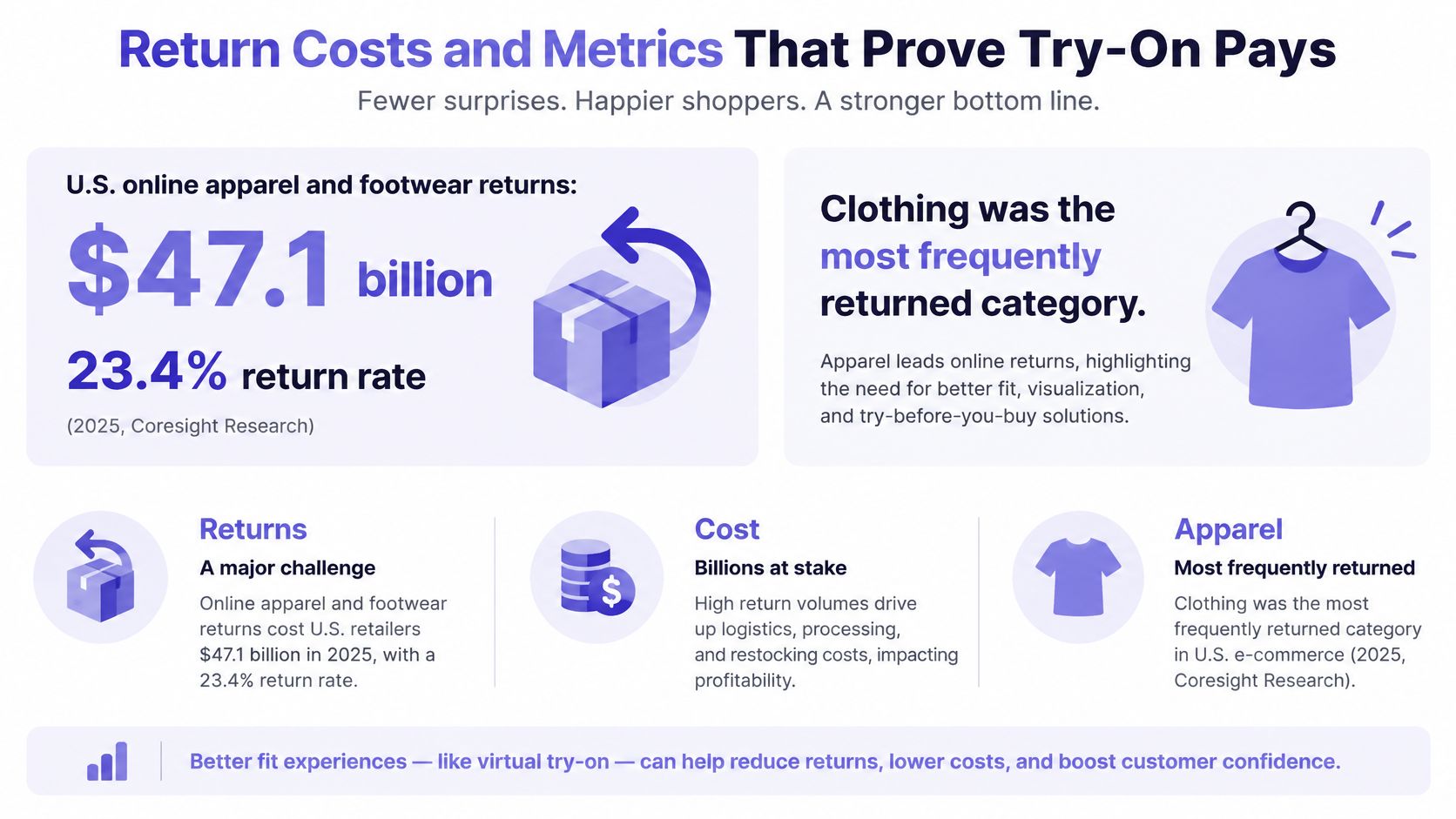
Coresight Research estimated $47.1 billion in U.S. online apparel and footwear returns in 2025, representing a 23.4% return rate, as reported in Yahoo Finance's coverage. Clothing was also the most frequently returned fashion category in online shopping worldwide in 2024, according to Statista.
The broader benchmarks need their own labels. Corso's industry benchmark report puts the overall U.S. ecommerce return rate at 20.4% in 2024, while describing typical apparel-merchant return rates of 25% to 40%. Separately, the National Retail Federation and Happy Returns projected $890 billion in U.S. retail returns for 2024, covering retail overall rather than online fashion alone.
These figures describe different markets and measures. Don't combine them into a single return-rate calculation or use them as a forecast for your store.
Measure reduced uncertainty, not image appeal
The commercial logic is straightforward: shoppers who have useful information before checkout have less reason to hedge. Someone who can assess the outfit and choose a size confidently may not need to order adjacent sizes for comparison at home.
But an attractive preview can also encourage a purchase without resolving the fit question. That's why engagement with the image, or a higher checkout rate, isn't enough to establish value.
For shoppers, the desired outcome is less packing, returning, and waiting for replacements. For merchants, it's healthier orders after fulfilment and returns, not more orders at the start.
Metrics for judging a try-on rollout
| Metric | What it tells you | How to read it |
|---|---|---|
| Conversion rate | Whether try-on helps shoppers buy | Compare treatment and control groups split at random |
| Multi-size orders per customer | Whether shoppers still hedge by ordering several sizes | A drop suggests fit confidence has risen |
| Fit-related return rate | Returns caused by size or fit | Segment by garment category |
| Exchange rate | Whether shoppers swap for another size | High exchanges on structured garments signal sizing gaps |
| Net contribution margin | Profit after returns and fulfilment costs | The deciding figure, not conversion alone |
Use consistent definitions. A fit-related return should have a recorded reason such as too small, too large, or unsuitable proportions, rather than being grouped with damaged goods or a late delivery.
An exchange also needs interpretation. Swapping for another size suggests a different problem from exchanging for another colour, even if both appear in the same headline total.
Build a comparison you can trust
Randomly assign eligible shoppers to treatment and control groups, and keep each shopper's experience consistent. Comparing people who voluntarily use try-on with those who don't can confuse the tool's effect with differences in purchase intent.
Keep pricing, promotions, delivery promises, and size-chart access comparable. If the treatment group receives better sizing information as well as generated images, describe the result as the effect of that combined experience, not the image alone.
Segment results by garment category. Structured coats, custom products, denim, and fitted dresses warrant separate checks from loose tops because their fit constraints differ.
A rise in conversion alongside a rise in fit returns isn't a win by itself. Judge the orders customers keep.
Preserve the model version, source garment image, person image, prompt, and intended use for each generated asset. Include confidence metadata where available, without inventing a confidence score the system doesn't provide, so teams can investigate problematic outputs.
Calculate net contribution margin consistently after discounts, product costs, fulfilment, return handling, and try-on costs. Wait for returns to mature before deciding whether an apparent sales improvement produced a better business outcome.
Your Photos, Privacy and Consent
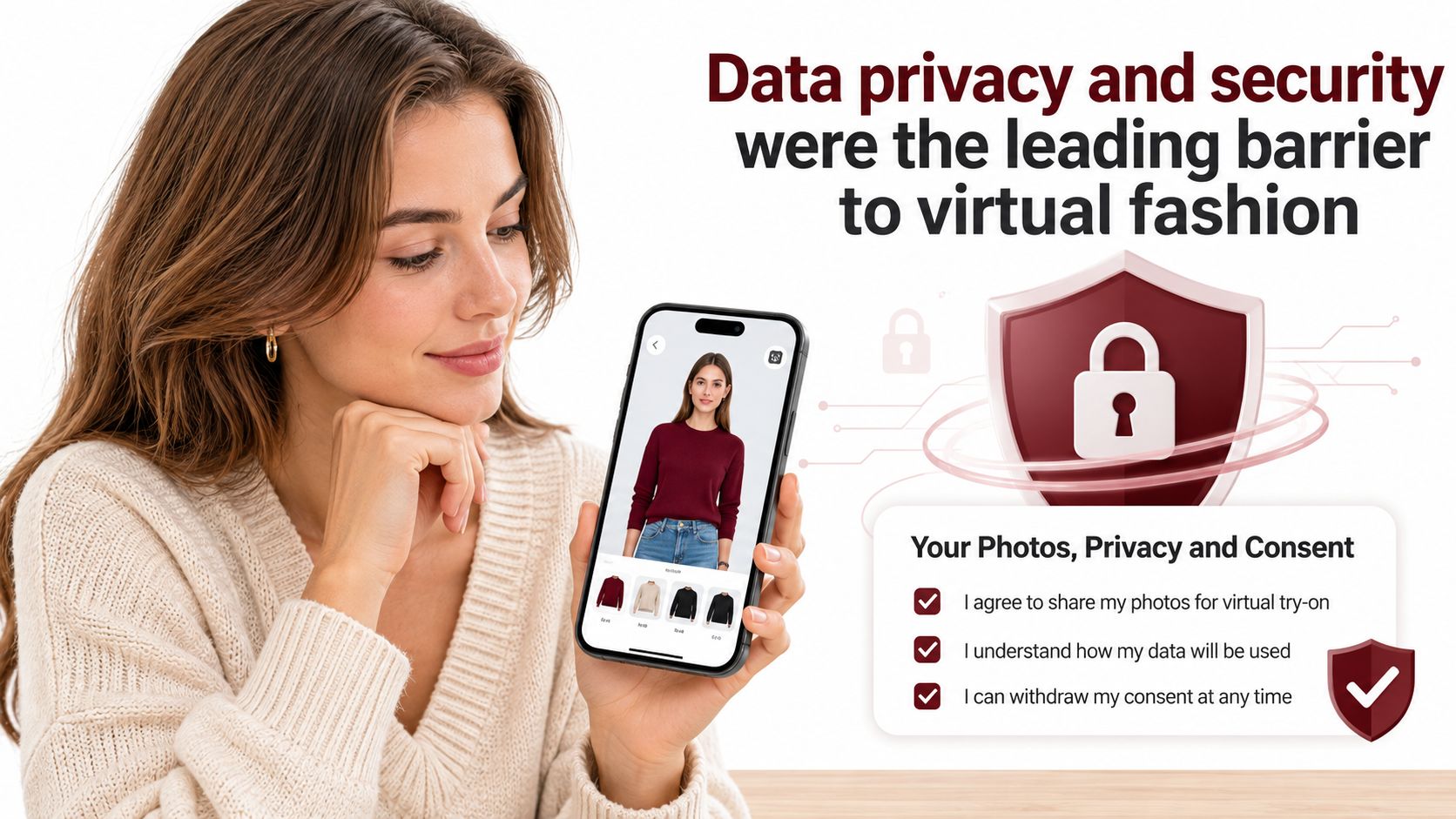
In a 2025 consumer study, 62.5% of respondents cited data privacy and security as barriers to virtual fashion-retail adoption, while 43.8% cited doubts about representation accuracy, according to the IFFTI proceedings paper on consumer perspectives.
A realistic result doesn't answer what happens to the photo used to create it. Before uploading, you should be able to understand who handles your likeness, why it's needed, and what control you retain.
Check the photo's full journey
Consent. Does the service explain permission to upload a likeness and how to withdraw consent where applicable? Don't assume that possessing someone's photograph gives you permission to use it for generated fashion imagery.
Facial and body data. Does the policy explain whether faces and body features are processed, and for what purpose? A general statement about improving the experience doesn't explain the handling of a person's image.
Storage. Where are uploaded people, garments, and generated results kept, and how long are they retained? Separate deliberate library storage from temporary processing, since saving a reusable profile serves a different purpose from completing a single request.
Deletion. Can you delete a person profile and its associated results? Look for an explanation of what deletion covers, including shared copies and any retention exceptions, rather than assuming that removing a thumbnail erases everything.
Third parties. Which processors handle the images, and what information reaches them? For a retailer's integration, this question includes the path from the storefront through its backend to external processing services.
Reuse. Are uploads or generated images used to train models, shared with others, or reused for another purpose? Look for an explicit answer and any available controls instead of interpreting silence as a promise.
We store uploaded people, garments, and generated results in your workspace for reuse in future shoots. That explains the reusable library, but it shouldn't be read as an answer to every retention, processing, or training question; consult our privacy notice for the applicable policy details.
For shared teams, document who can access people libraries and export results. Brands should publish understandable answers beside the upload experience, not leave shoppers to search legal text after they've already submitted a photo.
Trust Signals Shoppers Look For
A credible product page helps shoppers inspect the basis of a buying decision. It doesn't rely on the generated image's polish to establish authenticity.
Place the following signals where the decision happens. Each should answer a specific uncertainty without forcing the shopper to leave the product page.
Put evidence beside the purchase controls
Visible AI labelling. Mark generated images clearly so shoppers don't mistake them for photographs recording a physical fitting or an actual studio sample.
A stated purpose. Identify the output as style visualisation or fit guidance, and explain the basis of any fit guidance rather than allowing the label to imply validation.
Nearby measurements. Show the size chart and relevant measurement fields beside the try-on, so the visual preview doesn't replace the sizing step through convenience alone.
Fit-specific buyer reviews. Help shoppers find comments from buyers with comparable measurements and fit preferences, since an overall rating won't explain whether sleeves felt restrictive or a waist sat too high.
Accessible return and exchange terms. Put the policy close to the add-to-basket button, including the conditions shoppers need to judge an unresolved fit risk.
Privacy at upload. Place a clearly named privacy link beside the photo control, so people can understand image handling before they submit their likeness.
These signals should remain visible on mobile, where a try-on viewer can easily dominate the screen. Don't bury the chart behind an unrelated menu or place the AI label only on an introductory screen that disappears.
Trust comes from showing what the image cannot prove, alongside the evidence that can help.
For example, a dress page can display the visual preview while keeping the garment's measurements and fabric description immediately accessible. The shopper should be able to move from liking the look to checking the purchase without guessing which information is dependable.
Choose Your First Try-On Test
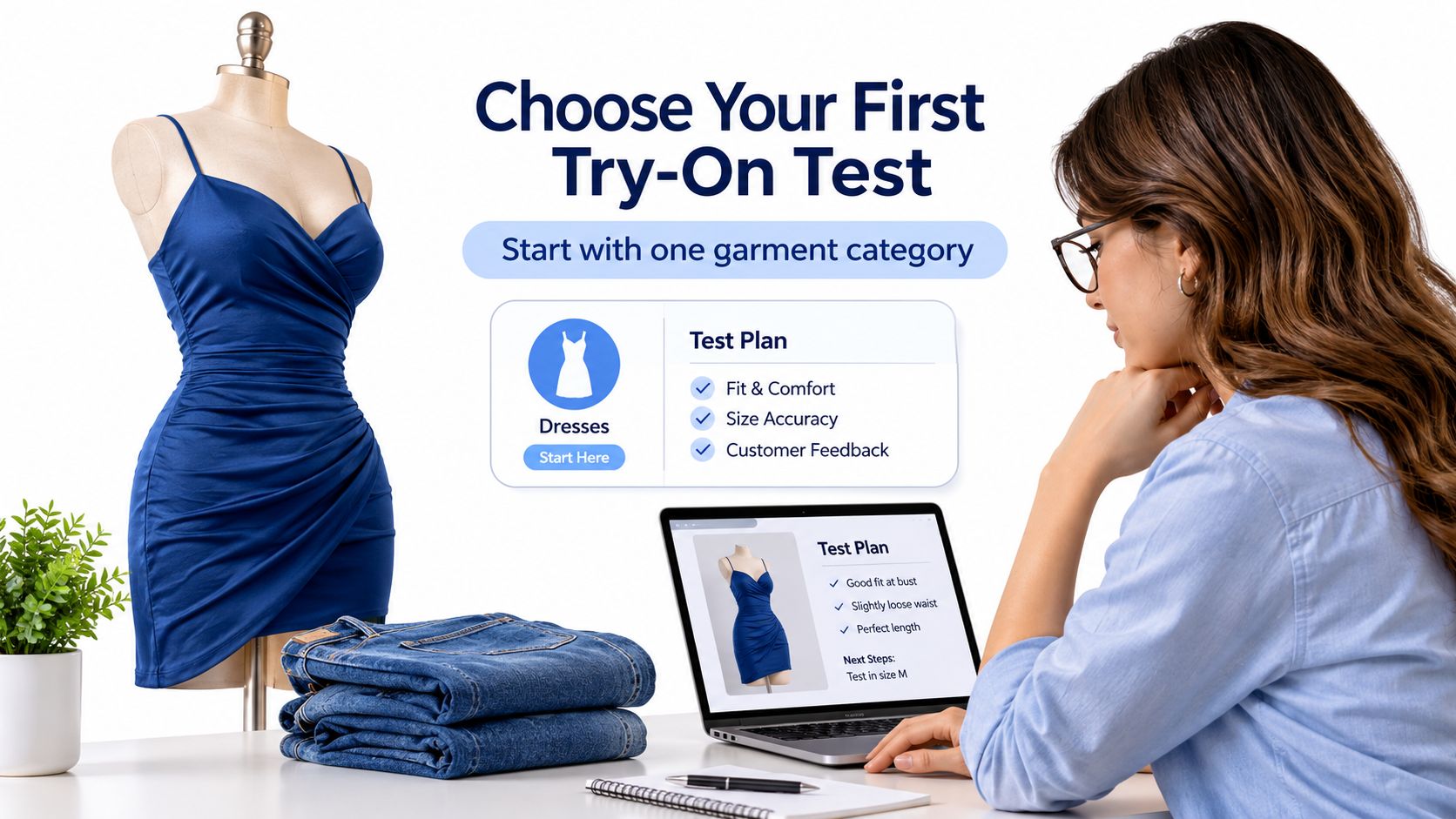
Start with one garment category, not the whole catalogue. Choose the category where your own records show the greatest fit-return problem, such as fitted dresses or denim, and assign a named owner to the trial.
That decision makes the test easier to interpret. Mixing products with very different fit requirements can conceal a useful result in one category or a serious problem in another.
Make the pilot operational
Define the comparison. Give the control group standard product photos and size information, and give the treatment group the same materials plus try-on images, keeping other purchase conditions aligned.
Confirm asset rights. Check permission for every person photo, garment image, and brand asset. Our generated images can support ecommerce, catalogue, campaign, advertising, and social workflows when you hold the necessary rights to the uploaded material.
Assign the image's purpose. Label each approved asset as style visualisation or fit guidance, and have someone verify that its presentation matches that purpose before publication.
Finish the return cycle. Run the evaluation long enough to cover the applicable return window, then compare net contribution margin rather than stopping when the first conversion results arrive.
For production teams, our workspace brings people, garments, and prompts together. Our public API also lets developers create people, upload clothes, queue try-on jobs, and poll finished image results from a backend.
Keep automation behind an approval process until the team understands the category's failure patterns. An image that changes a dress neckline or trouser cut should be rejected before it reaches shoppers, regardless of how quickly it was generated.
Next week, pick the category, collect its measurements and return reasons, and book the first test with the people responsible for merchandising, analytics, and customer service.
Vtry AI lets you combine person references with garments, generate complete outfit images, and edit the results in a shared workflow. Visit Vtry AI to build a first styling preview, then pair it with the size information and review checks your shoppers need before buying.