ecommerce model photography
Ecommerce Model Photography: A Fit-First Guide
Build ecommerce model photography that proves fit: shot lists, locked framing, honest retouching, and a way to scale catalog and ad images.
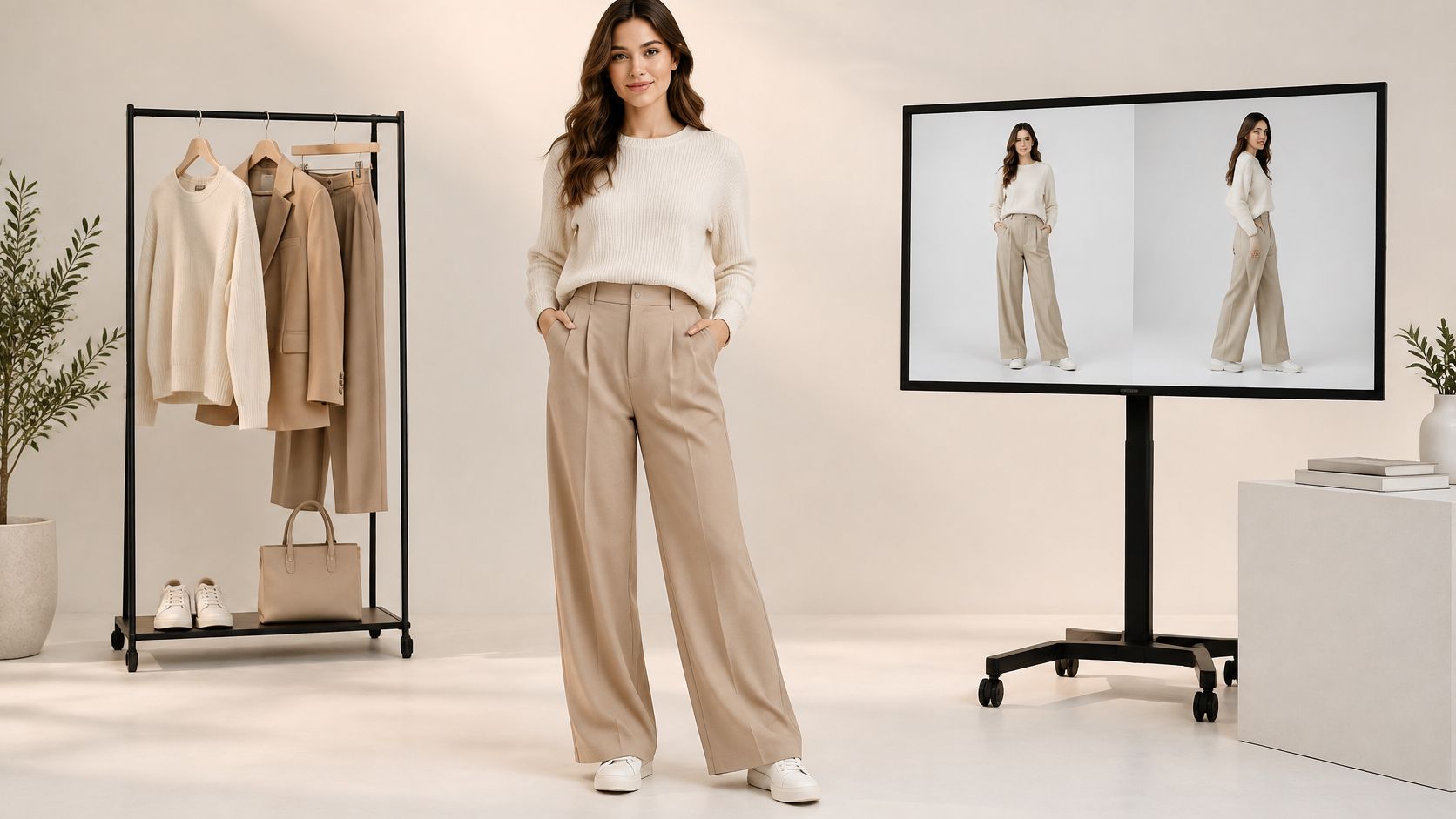
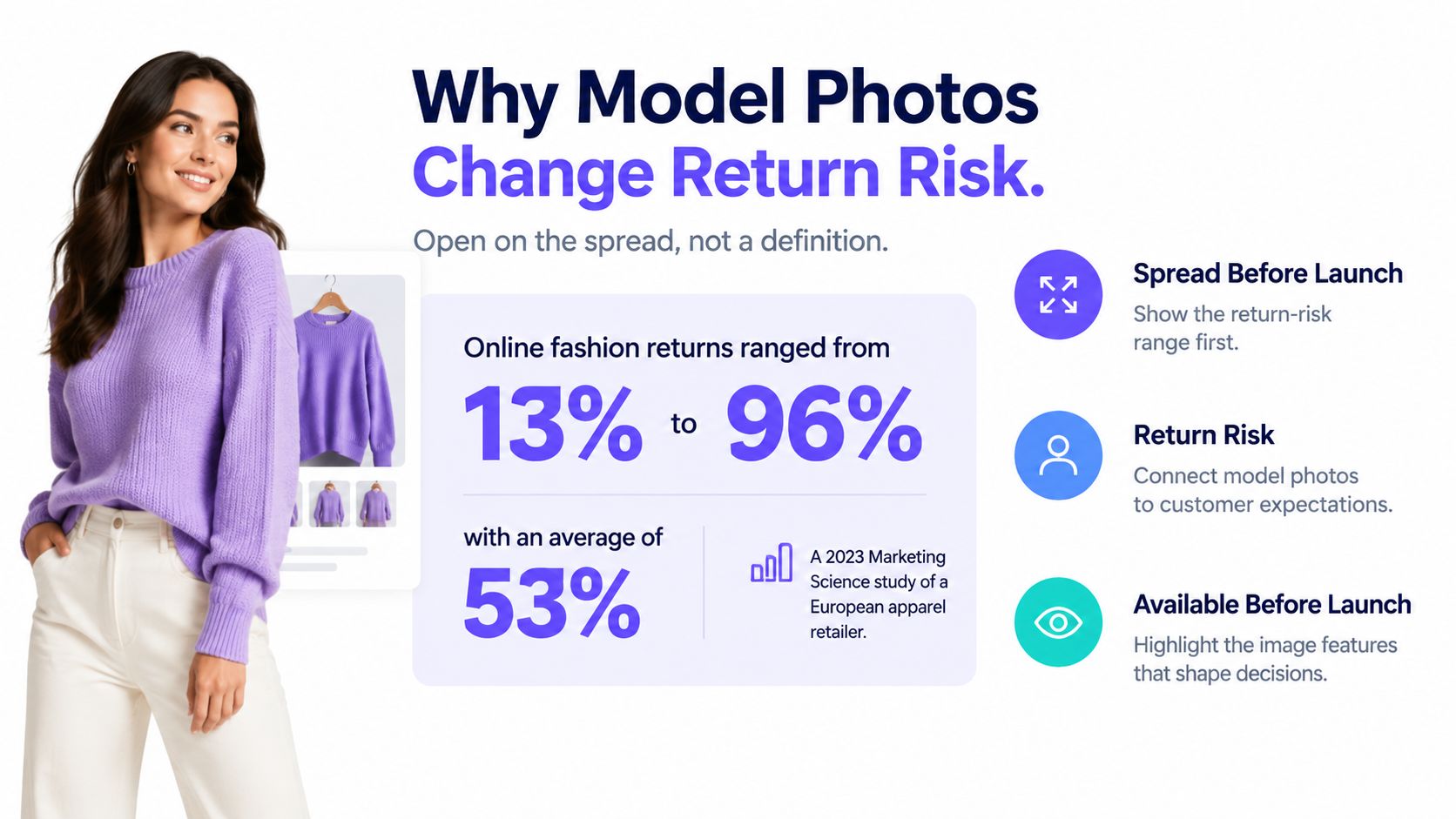
Online fashion return rates ranged from 13% to 96%, averaging 53%, in a European apparel retailer's dataset examined in a 2023 Marketing Science study, whose illustrative models suggested the retailer could potentially improve profit by 8.3% by identifying products with lower expected return risk. That spread changes the brief for ecommerce model photography. A flattering picture isn't enough. Shoppers need evidence of what the garment will look like when they wear it.
Table of Contents
- Why Model Photos Change Return Risk
- A Fit-Proof Shot List for Every SKU
- Cast Body Types Without Breaking Comparability
- How to Style and Lock Consistent Framing
- Retouch Only What the Garment Allows
- Scale Catalog and Ad Sets Without Drift
- Disclose Synthetic Models Before You Publish
- Run a Small Reviewed Pilot First
Why Model Photos Change Return Risk
A catalog average can hide very different product problems. A fitted trouser, a loose knit, and a structured jacket don't ask shoppers to make the same judgment. The production team should identify the uncertainty behind each purchase, then choose frames that help resolve it.
The Marketing Science researchers used product images alongside other information available before launch to predict item-level returns. That's a reason to treat photography as a merchandising input, not proof that changing a photograph will produce a particular reduction in returns. Their potential profit improvement concerned assortment decisions, not a guaranteed photography uplift.
Photography cannot eliminate returns caused by size, preference, or quality. It can, however, help shoppers form more accurate expectations before they order.
Show what a packshot cannot
A clean product image shows the object. A model-worn image adds a relationship between the garment and a body: shoulder placement, sleeve volume, waist position, length, and overall proportion. An outfit view also shows whether a jacket clears the waistband or covers the pockets.
Say you're photographing a relaxed shirt. A cutout can show the collar and button placement clearly. A neutral front frame can show whether the shirt falls straight, gathers at the hips, or opens between buttons. Neither image does the other's job.
The trade-off appears when styling makes the shirt more attractive but less informative. A deep tuck can hide its length. A lifted arm can conceal a tight shoulder. A jacket draped over the top can obscure the very detail a shopper needs to assess.
Make the image set useful beyond creative approval
Merchandisers need comparable views to spot confusing products before launch. Customer-service teams need images they can use to explain construction. Retouchers need a clear boundary between cleanup and changing the item.
Production rule: Approve the evidence the shopper needs before approving the mood the brand wants.
Build the brief around unresolved questions: where does it sit, what does it cover, and what happens when the wearer moves? Then assign each question a named frame. This gives creative teams room to make strong images without allowing styling to substitute for product information.
Lock that shot list before casting, styling, or batch generation. Otherwise, the team may finish with an appealing campaign and an incomplete product gallery.
A Fit-Proof Shot List for Every SKU
Fit-proof frames for ecommerce model photography
| Frame | Fit question it answers | Framing lock | Where it belongs |
|---|---|---|---|
| Clean cutout or flat lay | True color, construction, and logo | Product fills the frame, no person | Every SKU, before any model image |
| Front full body | Silhouette, length, and overall proportion | Camera at mid-torso height, head to toe, same crop | Every worn SKU on the product page |
| Side view | Depth, ease, and how the side seam hangs | Same height and distance as the front | Fit-sensitive apparel |
| Back view | Closures, vents, and rear drape | Match the front crop and light direction | When the back differs from the front |
| Seated pose | Rise, stretch, and bunching in use | Same model, consistent seat height | Trousers, dresses, and tailored pieces |
| Walking stride | Hem swing and mobility | One step, arms clear of the garment | Fit evidence and ads, not the only gallery frame |
| Fabric and closure detail | Texture, stitch, zipper, and print scale | Tight crop in the same light as the full body | Every SKU |
| Lifestyle or ad crop | Context without hiding the product | Model and product both visible, background may change, garment shape unaltered | Campaigns only, after the catalog set |
Baymard's usability testing found that 56% of users' first actions on a product-detail page were to explore product images. For worn products, the practical need goes beyond image quantity. A cutout alone doesn't adequately explain fit, drape, scale, or suitability.
Build the set in production order
Start with the clean cutout or flat lay, the table's factual reference. Confirm the sample's color, construction, branding, and included components before introducing a person or an outfit. Don't use a reference with a folded hem if length is part of the purchase decision.
Next, make the front full-body frame your anchor. This covers both the consistent model view and the in-scale composition. Keep it neutral enough that the shopper can identify the garment's boundaries without interpreting a dramatic pose.
Capture the fabric and closure detail while the garment and lighting are ready. This row appears later in the table because it describes a tighter view, not because it must wait until every movement frame is complete. Show the actual fastening, surface texture, and pattern scale.
Then add the conditional views:
- Side view: Use it when depth or ease matters, such as a fitted waistband or a voluminous sleeve.
- Back view: Include it when rear construction adds information the front cannot supply.
- Seated pose: Show ordinary compression and bunching in trousers, dresses, and tailoring.
- Walking stride: Use movement to explain the hem, not to replace a readable standing view.
Leave the lifestyle or ad crop until the catalog set passes review. It belongs in campaigns, where context can carry more weight, rather than serving as the only evidence of fit.
Make the framing column enforceable
Record camera height, distance, crop, and light direction beside the approved reference frame. A new pose, a different body, or a restyled outfit can make neighboring SKUs impossible to compare, even when each image looks good alone.
Use the Shopify product photography guide to connect these capture decisions to the store's publishing workflow. Keep the reference image in the delivered set: the model frame supplements it and never replaces it.
Cast Body Types Without Breaking Comparability
Choose the body range before styling. A collection becomes difficult to compare when the primary body changes with each colorway or garment, because shoppers can't tell whether they're seeing a fit difference or a casting difference.
Build a casting sheet with the model identifier, height, bust, waist, hip measurements, and approved garment sizes. Assign each body a defined role within the range. Don't assume height alone describes fit, or that a sample-size body can represent every size offered.
Assign bodies by fit role
- Primary body: Use the same person for the main front frame across comparable products and colorways.
- Alternate body: Add a different build where it helps answer a meaningful fit question, such as how a fitted hip or long torso changes the silhouette.
- Synthetic body: Record that it's generated. Keep specified measurements separate from physically measured, verified fit information.
For teams exploring digital measurement workflows, this full-body scanning guide provides useful context. A convincing image still isn't a fitting-room test, and generated proportions shouldn't be presented as measured garment performance.
Keep the body's role stable across the collection, and publish the garment size worn beside the relevant measurements.
Don't stretch a smaller sample over a different body digitally and call it size representation. If a size hasn't been physically assessed, avoid implying that its fit has been verified.
How to Style and Lock Consistent Framing
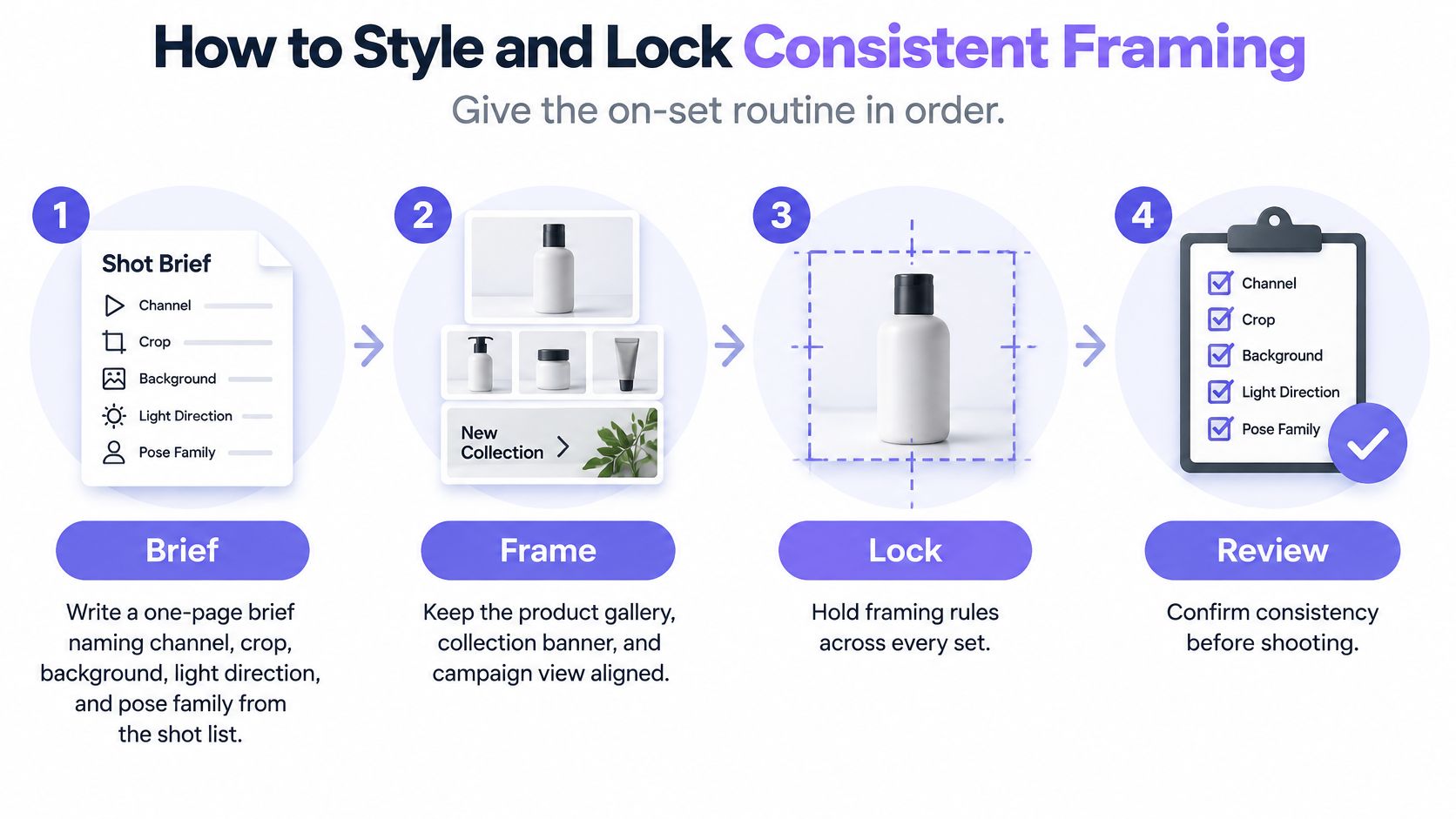
Consistency starts with decisions the crew can repeat. Use a shared capture brief, a marked set, and an approved reference image rather than asking everyone to remember what the previous SKU looked like.
Prepare the garment and destination
Write the destination into the brief. Name the channel, crop, background, light direction, and pose family. A product gallery and a tall ad placement need different composition space, so plan both before capture. The common slip is shooting tightly for the gallery and later discovering that the campaign crop cuts through the garment.
Fit and prepare the published sample. Check the garment's label against the size you intend to publish, steam packaging creases, and record the size worn with the model's measurements. Inspect the fastening and lining before the model steps onto the mark. Do not substitute another sample when the scheduled size isn't available.
Style to reveal construction. Choose a base outfit and footwear that leave the featured garment readable. Keep necklaces off necklines, bags off pockets, and sleeves clear of closures. If you tuck a shirt, also capture its natural hem; a tuck is a styling choice, not evidence that the shirt is cropped.
Use the routine below as an on-set reminder.
Fix the camera before directing movement
Mark the geometry. Set the camera at the approved mid-torso height, choose a focal length, and tape the model's standing position. Keep camera-to-subject distance fixed for comparable front, side, and back frames. Don't move closer to fill the frame with a smaller garment, since that changes perspective as well as framing.
Capture the pose family before variations. Direct with concrete cues: face forward, relax shoulders, keep arms clear, then turn sideways without leaving the mark. Add seated and stride frames only for the garments that need them. Avoid making the anchor frame dependent on a deep knee bend or exaggerated hip shift.
Review on a laptop before wrap. Display the current frame beside the approved reference. Check headroom, visible hems, light direction, hand placement, and whether the fabric surface remains readable when enlarged. A camera-screen glance can miss a covered print or a shifted crop that becomes obvious in the product grid.
A lower camera angle combined with a bent knee can make a trouser look unusually long. If the next product is shot upright from a higher position, the shopper may read a production difference as a design difference. Fix the setup rather than trying to make the products match through retouching.
Style lock
Keep the approved base outfit and footwear.
Keep the marked camera and standing positions.
Keep the anchor pose, crop, and light direction.
Retouch Only What the Garment Allows
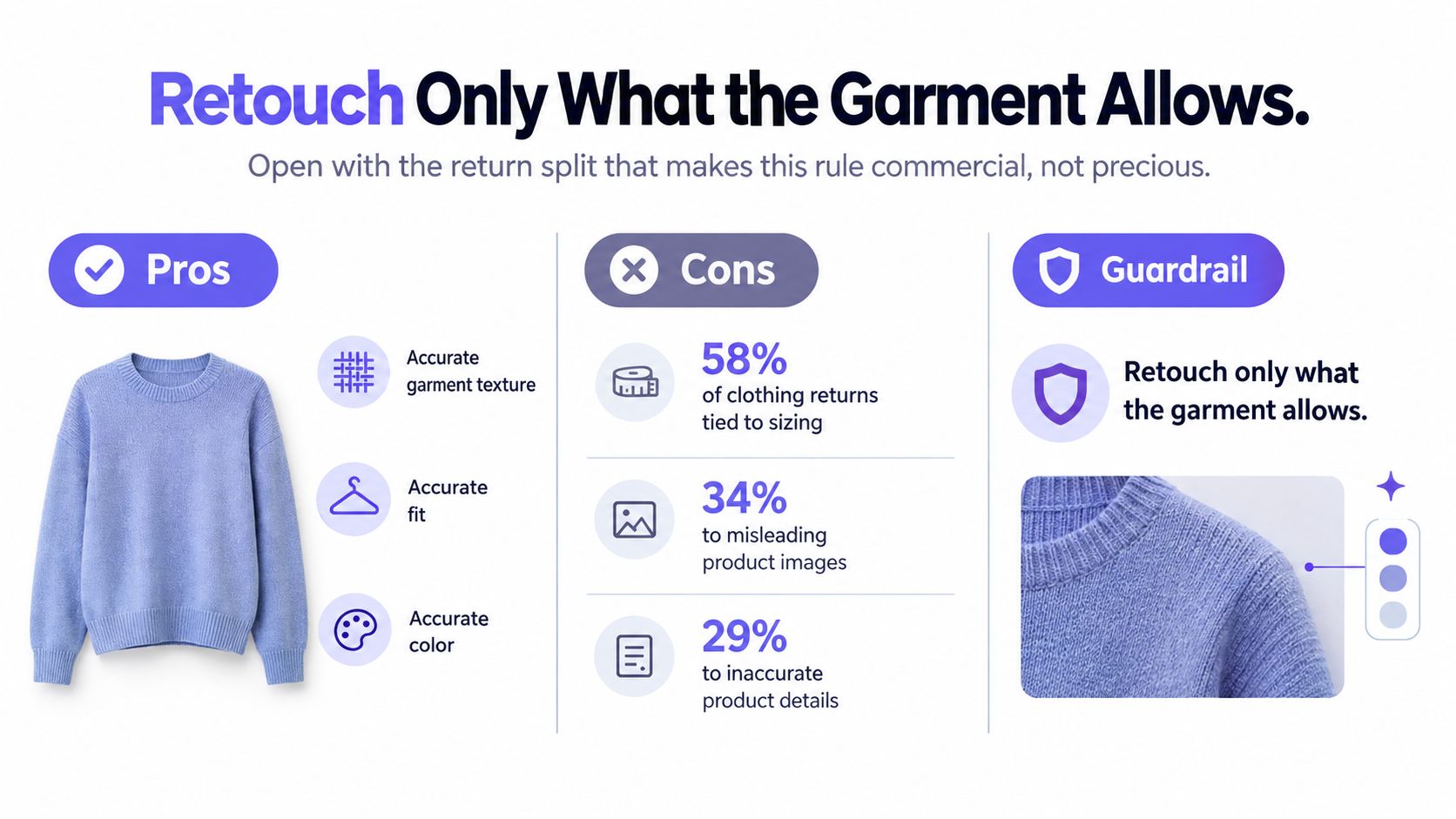
A consumer survey cited by Looklet attributes 58% of clothing returns to sizing issues, while 34% are linked to misleading product images and 29% to inaccurate product information. Treat those as reported return causes, not mutually exclusive slices of a whole. The commercial lesson is straightforward: making a garment look better than it behaves can create the wrong expectation.
What ecommerce retouching may change
| Edit | Allowed | Do not change |
|---|---|---|
| Exposure and white balance | Yes, to match the locked set | A color the fabric does not have |
| Dust, lint, and sensor spots | Yes | Construction details that only look like spots |
| Skin smoothing | Light and identical across the set | Body size, proportion, or garment ease |
| Background cleanup | Yes, back to the locked backdrop | Light direction between SKUs |
| Hem, logo, print, or seam | Only from a better source capture | Position, scale, or redrawn artwork |
| Wrinkles and drape | Steam before the shutter | Cloth behavior a shopper will feel |
Correct the capture, not the product
Exposure and white balance adjustments should bring the frame back to the approved reference. They aren't permission to make a muted fabric richer or to remove the sheen that appears under the locked lighting. Compare the model frame with the garment reference throughout the edit.
Remove dust, stray lint, and sensor spots carefully. A small mark may be a stitch, a fleck in the yarn, or part of a print. When the retoucher can't identify it confidently, inspect the sample or request a better capture.
Keep skin work restrained and consistent. Don't narrow a waist, lengthen legs, or reshape a shoulder to improve the outline. Those changes also alter the apparent amount of room inside the garment.
Preserve the behavior of the cloth
Steam avoidable packaging wrinkles before capture. Leave the folds that reveal how the fabric hangs, compresses, or gathers during use. Digitally smoothing a seated trouser until the lap looks flat removes information the seated frame was meant to provide.
Logos, prints, seams, and hems require particular care. If an otherwise useful frame has a capture defect, use a better source capture from the same approved setup. Don't redraw artwork, relocate a seam, or invent the hidden continuation of a pattern.
Use this standard at the retouch station:
If a shopper would handle the garment and feel misled, the edit has gone too far.
For generated images, apply the same boundary to invented fabric behavior. An attractive fold isn't evidence that the actual material will fall that way. If faithful behavior cannot be established, use the image for styling context rather than presenting it as verified fit.
Deliver the unedited garment reference alongside every retouched model frame. That gives the reviewer a factual comparison instead of asking them to judge accuracy from memory.
Scale Catalog and Ad Sets Without Drift
Treat scale as reuse, not a fresh creative direction for each SKU. Lock the person identity, approved garment attributes, pose vocabulary, background, and lighting before starting a batch.
Keep the studio reference visible while reviewing outputs.
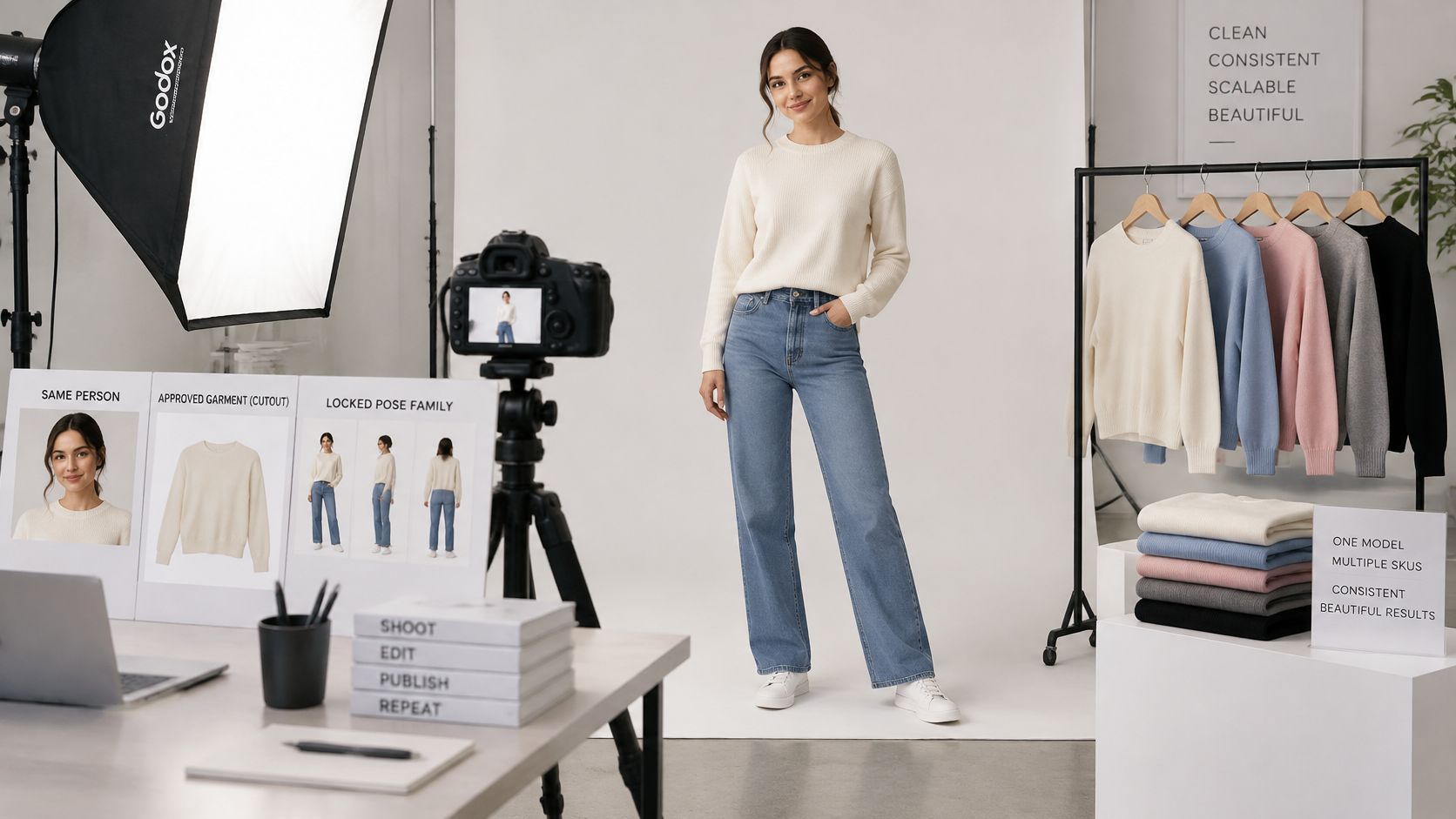
Change the garment before changing anything else. If you alter the body, pose, outfit, and backdrop together, you won't have a clear basis for diagnosing a failed result.
In Vtry AI, our workflow starts by adding a person with up to 3 photos or a camera capture, then adding clothes through a product URL or in-app search, and generating and editing a look with up to 7 garments. Use Extract when an item is worn by a model and Use as is for a clean product shot. If the garment source includes a visible face, our warning flags possible try-on confusion; use Extract (AI) to find better options before proceeding.
Review complete looks as assembled products
Check layering order, obscured closures, hands, hems, logos, prints, and seams against the approved garment assets. Approve individual items before approving their combination, then retain the person, garments, and accepted results for reuse.
The demonstration provides workflow context for assembling a look.
Create lifestyle variations only after the catalog outputs pass review. Keep campaign experiments out of the approved reference library.
Disclose Synthetic Models Before You Publish
In Clutch's 2025 AI-imagery survey, 57% of consumers failed an AI-image identification test, while 84% considered disclosure important. A shopper's inability to identify synthesis isn't permission to hide it. Photorealism and trustworthiness are different approval criteria.
Use the following placements as an editorial integrity standard, alongside each channel's current requirements.
| Channel | Label placement | Evidence to keep beside it |
|---|---|---|
| Product page | Beside the gallery, near the first model image | Unedited garment reference and size worn |
| Marketplace | Follow the channel's image rules and state that the person is synthetic | Matching cutout and front view |
| Paid ads | In the ad or on the landing page | Landing-page size chart and garment reference |
| Social posts | In the caption or on the image | A note that the body is not a fit standard, with a link to the product page |
Make disclosure useful
State plainly that the person is synthetic. Where no physical fitting occurred, don't invent a size worn; identify the represented product size and explain that fit hasn't been physically verified. This AI fashion model guide offers context for planning synthetic-model imagery.
Evaluate paid tests using purchases, complaints, and returns alongside clicks. Transparent, evidence-led imagery may perform better across the customer lifecycle than undisclosed photorealism, but a click test alone cannot establish that.
Run a Small Reviewed Pilot First
Start with a bounded production test rather than a full collection. Choose a silhouette and sample size, then prepare a product-gallery crop and a separate ad crop. Produce the approved cutout before the locked front, side, and detail frames, and assemble the complete look only after those references pass.
Set a publication gate
Assign a reviewer who didn't create the images. Ask them to check identity, color, logos, hems, and product metadata against the source assets, then assess whether the team could reasonably defend the representation if a shopper complained.
- Evidence passes: The garment details match, the size information is clear, and the image makes no unsupported fit claim.
- Disclosure passes: Synthetic content is identified where the shopper encounters it.
- Rights pass: The team has confirmed permission for the people, garments, brands, and source images for the intended uses.
Our images can be used for ecommerce, catalog, and social workflows, including product pages, campaign tests, ads, and social posts, provided you hold the necessary rights.
For example, make ten SKUs the pilot's go-or-no-go checkpoint. Extend the approved setup only if that batch holds together; otherwise, repair the reference, framing, or label before adding volume, and confirm rights before anything leaves the workspace.
Vtry AI lets you combine people and garments into outfit images and retain approved assets for future catalog work. Visit Vtry AI to build a small, reviewed pilot using accurate garment references, repeatable framing, and clear synthetic-model disclosure.