virtual try on
Virtual Try on in Fashion Ecommerce: How It Works
Discover how virtual try on transforms fashion ecommerce with AI-generated outfit images, faster workflows, and lower returns. A clear, practical guide
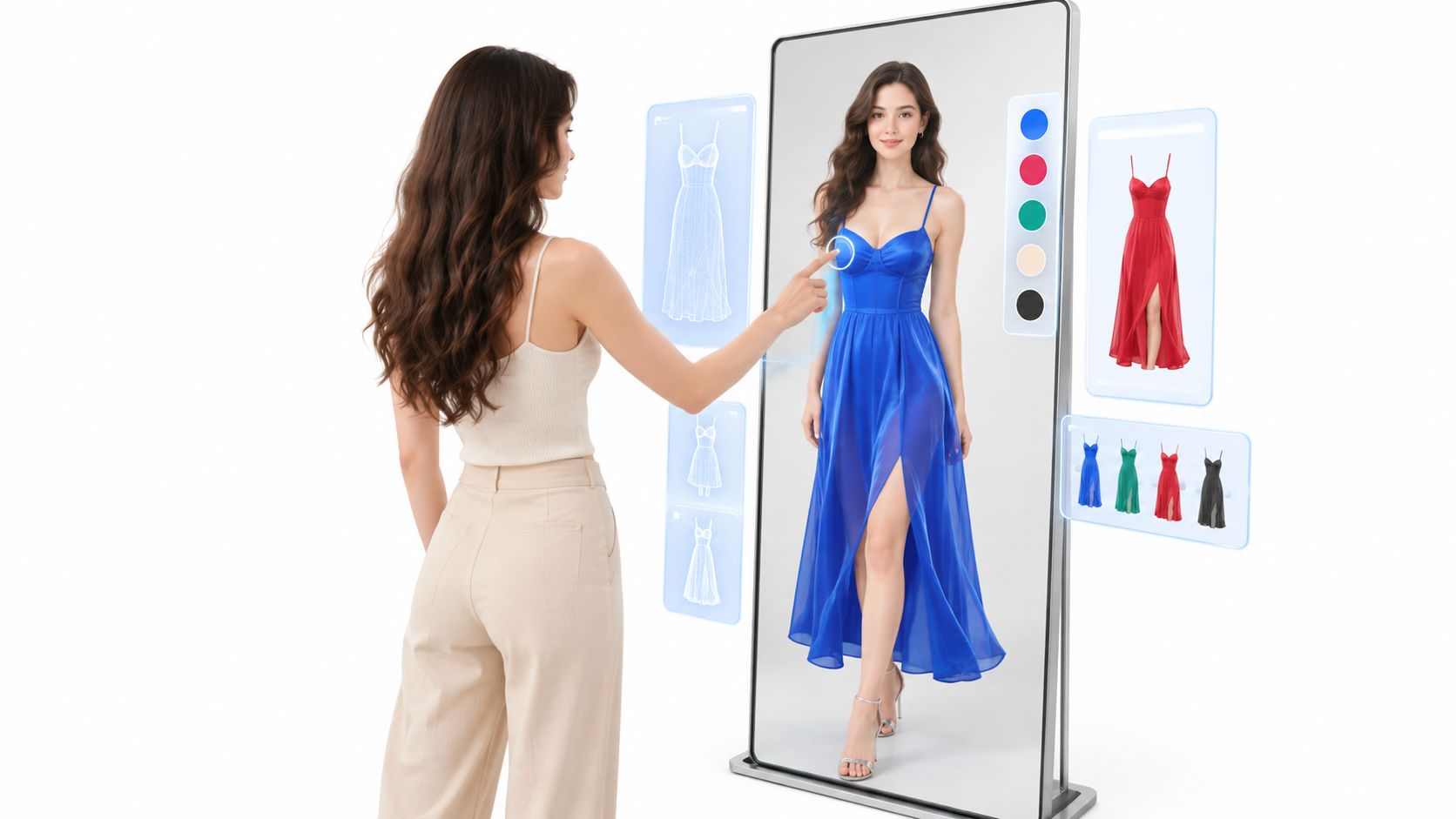
A collection is ready to launch, but the product page still shows a folded garment, a hanger shot, and one front-facing model image. The creative team needs more angles, more outfit combinations, and more channel-specific crops. A studio reshoot would mean booking people, preparing samples, coordinating styling, and repeating the process whenever a product or campaign brief changes.
Virtual try on changes the production model. Instead of treating every finished image as a one-time photoshoot, a fashion team can treat people, garments, poses, and scenes as reusable digital inputs. The shopper sees an on-person result, while the retailer gains a workflow that can support product pages, lookbooks, marketplaces, and campaign testing.
The commercial reason is straightforward. Coresight Research's analysis of apparel returns estimated that the average return rate for online apparel orders in the United States was 24.4% in 2023. The same research identified size and fit as the leading reported cause, cited by 53% of surveyed apparel brands and retailers. Virtual try on can't solve every return, but it can address a major source of uncertainty before checkout.
Table of Contents
- The Production Problem Virtual Try On Solves
- How Virtual Try On Technology Works
- Person-First and Garment-First Workflows
- Inside a Real Try On Production Pass
- Benefits and Trade-offs for Fashion Ecommerce
- API Integration and Team Workspace Patterns
- Privacy and Consent as an Adoption Lever
- A Practical Pilot Plan for Fashion Teams
The Production Problem Virtual Try On Solves
A launch can stall for a surprisingly simple reason. The collection is approved, but the image set is too narrow. One SKU has a strong front shot but no side view. Another has a flat lay but no on-person image. A third arrived in a late colorway, so the team now has product data ready for sale and no matching creative to support it.
In a conventional workflow, every missing asset pushes work back toward the studio. Samples have to be tracked, models and stylists scheduled, looks rebuilt, and files retouched again for each channel that needs a different crop or format. That is manageable for a few hero products. It becomes harder when the team needs broad catalog coverage across many garments, sizes, outfits, and destinations.
That is the production problem virtual try on addresses.

Virtual try on turns the asset into a production input. A garment image becomes something the system can place, fit, and render across multiple approved person images or scene setups. A reference photo defines the body and pose. The garment file supplies shape, texture, and visible design details. Review tools and workspace rules determine which result is good enough to publish. What looks like a single shopper-facing image is really the output of a layered content system.
That operational shift matters because fashion teams do not just need pretty pictures. They need repeatable ways to produce accurate ones. If the underlying inputs are messy, cropped inconsistently, or unlabeled, the output quality drops fast. A clean source library works like a well-organized sample room. Teams can find the right item, pair it with the right model reference, and produce a usable result without rebuilding the job from scratch each time.
The commercial impact shows up in everyday work:
- Merchandising can test complete looks instead of relying only on isolated product views.
- Content teams can create added on-person imagery for SKUs that never received enough model photography.
- Marketplace teams can prepare channel-specific assets without recreating the full shoot.
- Creative producers can reuse approved people, garments, and scenes across multiple campaigns.
- Product teams can connect image generation to catalog data so imagery behaves like part of the system, not a disconnected folder of exports.
This only helps if the image still tells the truth about the product. Shoppers read silhouette, sleeve length, drape, layering, and color interaction in seconds. If those cues are wrong, the workflow may be faster, but the content is less useful.
A practical starting point is the same discipline used for better clothing product photos. Teams that already check coverage gaps, keep garment images clean, and label assets clearly are much closer to a working try-on pipeline.
Adoption has moved from experiment to planning. According to the Coresight report introduced earlier, 85% of surveyed apparel brands and retailers either already used or planned to implement virtual try-on tools. That does not mean every rollout succeeds. It means the question at stake has changed. Fashion teams now have to decide whether they can supply reliable inputs, run review workflows, handle privacy responsibly, and connect generated imagery to the buying journey.
How Virtual Try On Technology Works
Virtual try-on is a layered image system. It has to identify the person, isolate the garment, map one onto the other, and rebuild the final image in a way that still reads as both a believable photo and a truthful product view.
A useful comparison is a tailor pinning fabric onto a dress form. First comes measurement and placement. Then come small corrections around edges, folds, and exposed areas. In software, those steps become geometry, masks, and rendering rules instead of hands and pins, but the sequence is similar.
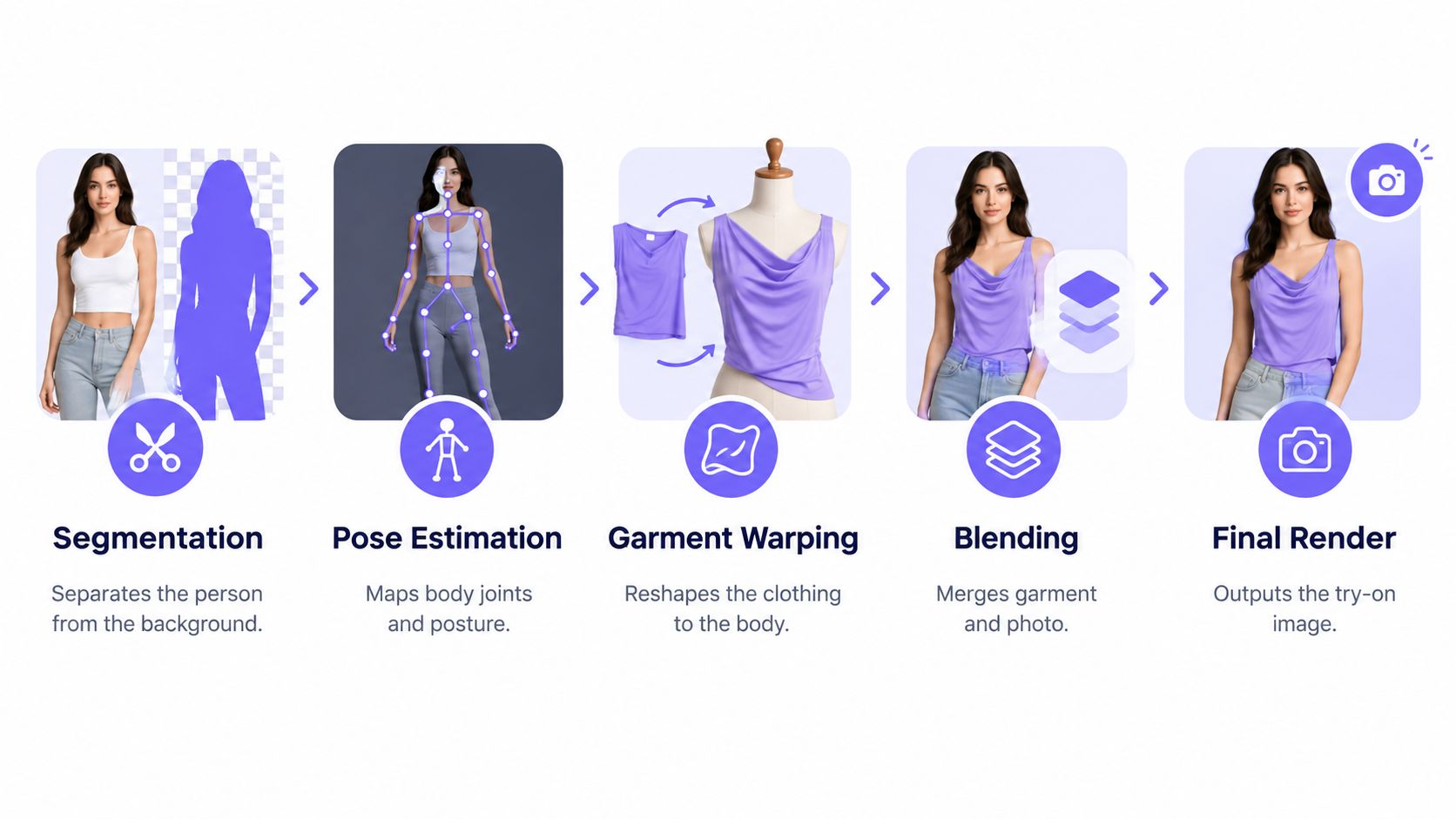
The five practical stages
Segmentation separates visual roles. The system splits the image into regions such as person, background, hair, skin, and current clothing. Those masks define what can change and what should stay untouched. If the hairline, hands, or torso boundary is misread here, later stages inherit the error.
Pose estimation maps the body. Key body points and visible limb direction give the model a body framework. It uses that framework to read shoulder angle, arm position, torso rotation, and leg placement. Clear, front-facing images usually produce cleaner structure than photos with extreme turns or cropped limbs.
Correspondence estimation finds matching locations. This is the geometric core. The model tries to match points on the garment image to likely positions on the target body, so a collar lands near the neckline and sleeves follow the arms rather than drifting across the frame. The widely used VITON benchmark pairs person and garment images at low resolution, which is why real-world inputs need more care than benchmark conditions suggest. The VITON research overview explains the feature matching and deformation ideas behind many of these systems.
Garment warping reshapes the item. Once the model has a body map and likely garment correspondences, it deforms the clothing to fit the target pose. Necklines, cuffs, side seams, hems, and large prints all need to move in ways that stay visually consistent. A good result depends on controlled distortion, not simple resizing.
Synthesis blends the result. The final renderer rebuilds texture, boundaries, folds, overlap with hair, visible skin, and lighting cues. This stage often gets the most attention because it produces the polished image, but it can only work with the geometry and masks it receives upstream.
One practical rule matters more than teams expect. Treat the input photo as part of the specification. Poor lighting, hidden body lines, heavy occlusion, or a garment shot from an awkward angle remove information the system needs, and the model fills those gaps with guesses.
Pose is where many demos start to break. A top that looks convincing on a straight torso can fail once an arm lifts, the body rotates, or the camera angle shifts. Research on harder poses shows why. DensePose-style methods map garment cues into body-coordinate space, and more advanced approaches add 3D-aware flow plus image synthesis to keep alignment stable under larger viewpoint changes. This hard-pose virtual try-on research shows why pose and viewpoint need their own evaluation, not a single hero example.
For a fashion team, that changes the review workflow. Do not judge the system by one attractive output in ideal conditions. Review a spread of poses such as front, three-quarter, side, raised-arm, seated, and partially occluded images, then inspect hem placement, sleeve geometry, logos, and repeated patterns one by one. Faces and backgrounds can look convincing even when the product has warped in ways a shopper would notice.
Outfit styling adds another layer of complexity. A shirt under a jacket, trousers under a top, or accessories crossing the torso all create ordering decisions. The renderer has to choose which edge sits in front, where skin should still appear, and how overlapping materials interact. That is why teams need to review complete looks as production outputs, not just single garments in isolation.
Person-First and Garment-First Workflows
The choice between person-first and garment-first isn't a minor interface preference. It determines what the team stores, what it reviews, and where the generated image enters the merchandising process.
Person-first for reusable campaigns
In a person-first workflow, the model or creator is the anchor. The team onboards a reference person, approves the identity and general visual direction, then dresses that person in multiple garments. This works well for lookbooks, seasonal campaigns, social content, and editorial storytelling where continuity matters.
The production question becomes, “What can this approved person wear next?” A creative lead might keep one consistent model, reuse a background style, and generate several coordinated looks. The advantage is narrative consistency. The risk is that every garment must adapt convincingly to the same pose and body presentation.
This workflow needs a clean person reference, clear face visibility, useful body coverage, and a pose that supports the intended garments. If the campaign relies on hard poses, the team should capture or select additional references rather than assuming one image will support every composition.
Garment-first for catalog coverage
A garment-first workflow starts with the SKU. The product page, product URL, or garment library entry anchors the job, and the team generates a person wearing that item. This is more suitable for PDP enrichment, marketplace listings, and catalog gaps where the business needs more product-specific imagery.
The key question becomes, “How can this garment appear clearly on a person?” Source quality matters greatly. A flat-lay image, a hanger shot, or a product photo with an existing model may require cleaning and validation before the system can isolate the garment reliably.
A fashion team with a mature catalog and many missing on-person assets will usually benefit from this pattern first. A brand with a strong campaign identity and a smaller curated collection may prioritize person-first creation. The practical choice depends on whether the bottleneck is SKU coverage or creative continuity.
For teams focused on complete styled scenes, an outfit photo editor can support the garment-first workflow by keeping the focus on how multiple items work together rather than treating every product as a standalone overlay. Don't confuse the two patterns, though. A garment-first job can still use a consistent model, and a person-first job can still support product-page assets. The difference is which object organizes the workflow.
Inside a Real Try On Production Pass
A creative producer starts with a product URL for a jacket that has strong studio photography but no useful on-person image. The producer imports the garment into the workspace, checks that the jacket is isolated correctly, and saves it with the SKU and color information. The garment becomes a reusable library object rather than a one-off upload.
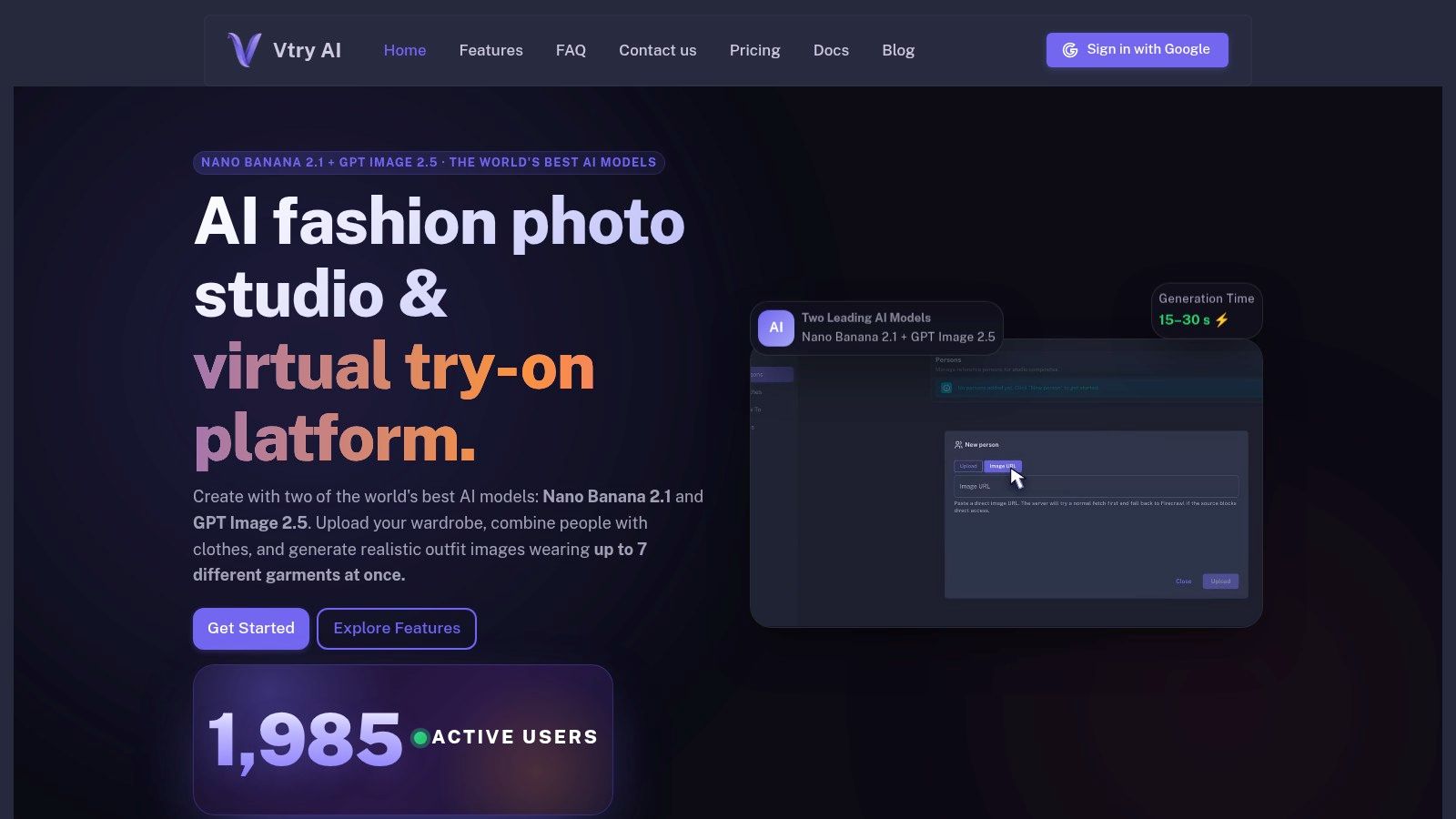
Next, the producer onboards a model from a reference photo. The image is reviewed for face visibility, pose, lighting, and unwanted objects. The producer chooses a pose that exposes the jacket's front, lapels, sleeves, and hem. This small decision reduces ambiguity before generation begins.
The producer then adds a second garment, such as a knit top, and checks the intended layer order. A jacket over a shirt isn't just two independent images. The system must preserve the shirt at the neckline and opening, keep the jacket in front, and avoid inventing edges where the garments overlap.
One pass, reviewed like a product asset
The producer selects a scene preset for a clean studio background, adjusts the composition with a camera control, and renders the outfit. The first review doesn't ask whether the picture looks attractive. It asks whether the jacket still has the correct collar shape, color, pocket placement, seams, and visible texture.
A second review checks the person. Has the face remained consistent? Did the hands, hair, or body outline change unexpectedly? Does the pose make the garment believable, or has the system hidden a problem behind an attractive composition?
Review the SKU before you review the mood. A beautiful image that changes a logo, pocket, hem, or pattern can create a worse product expectation than a plain but accurate image.
The producer makes a targeted edit, rerenders the selected variation, and compares it with the source garment. Once approved, the image is exported for the product page, social placements, and marketplace requirements. Each destination may need a different crop, but the team shouldn't lose the approved master or the generation history.
This pass feels less like a consumer filter and more like a small content-production job. The workspace must preserve source inputs, decisions, revisions, and exports. If the team can't tell which garment version produced an image, scaling the workflow will create review debt faster than it creates useful content.
Benefits and Trade-offs for Fashion Ecommerce
A merchandiser is trying to answer a simple customer question. Will this blouse look right on a real person, in a real pose, next to the rest of the outfit? Virtual try on can help answer that question faster than a new studio shoot, but only if the team treats it as a production system with controls, not as a magic button.
That is why the upside is real and the trade-offs are easy to underestimate. Better on-person imagery can help shoppers read silhouette, styling, and proportion. At the same time, generated outputs add a new review job. Someone still has to check whether the garment stayed true to the SKU, whether the person still looks like the approved reference, and whether the result is trustworthy enough to publish.
| Strategic Benefit | Operational Trade-off |
|---|---|
| More visual confidence can help shoppers understand how a garment may look on a person. | Visual confidence isn't fit certainty. A generated image can't replace dependable size guidance or fabric information. |
| Faster content iteration lets teams explore outfits, scenes, and crops without rebuilding every physical setup. | Input quality controls the ceiling. Weak garment isolation or unsuitable person photos produce unstable results. |
| Catalog consistency improves when approved people, garments, prompts, and exports live in one workflow. | Consistency needs governance. Teams must define naming, review, approval, and archival rules. |
| Complete outfit styling supports cross-sell storytelling and lookbook production. | Layering creates failure points. Occlusion, boundaries, and texture conflicts become harder to inspect. |
| High-resolution deliverables can support demanding catalog and campaign uses. | Resolution isn't fidelity. A sharp image can still contain a distorted logo or incorrect seam. |
| Approved image generation can extend the use of reference people across more content variations. | Model consent and likeness rights need clear rules. Teams generating images from real people need permission scope, usage boundaries, and a record of what was approved. |
Returns often frame the business case, but teams should read that evidence carefully. The Coresight findings cited in the introduction apply specifically to U.S. online apparel and shouldn't be generalized automatically to every country or product category. They also do not show that virtual try on by itself reduces returns. A better way to use that research is as context. Shoppers often want more confidence before buying apparel online, and better visuals can be one part of that answer.
Adoption numbers also need careful interpretation. The cross-market comparison reported that virtual try-on usage in 2022 was 14% among online shoppers in Germany, 12% in the United States, 11% in the United Kingdom, and 8% in France. That report describes usage, not conversion lift or return reduction. The practical lesson is narrower and more useful. Shopper awareness exists, but actual use still depends on whether the feature is available, believable, and handled in a way people trust.
API Integration and Team Workspace Patterns
A virtual try-on tool becomes operational when the team can find the right garment, reuse approved people, share decisions, and connect generation to existing systems. Without those capabilities, the tool remains a creative island. Someone produces an image, downloads it, renames it, and manually moves it into the catalog.
A shared workspace creates a source of truth for the visual inputs. The garment library should retain the relationship between an item and its SKU. The people library should distinguish approved references from experimental uploads. Generation history should make it possible to trace an output back to the garment, person, prompt, and edits that produced it.
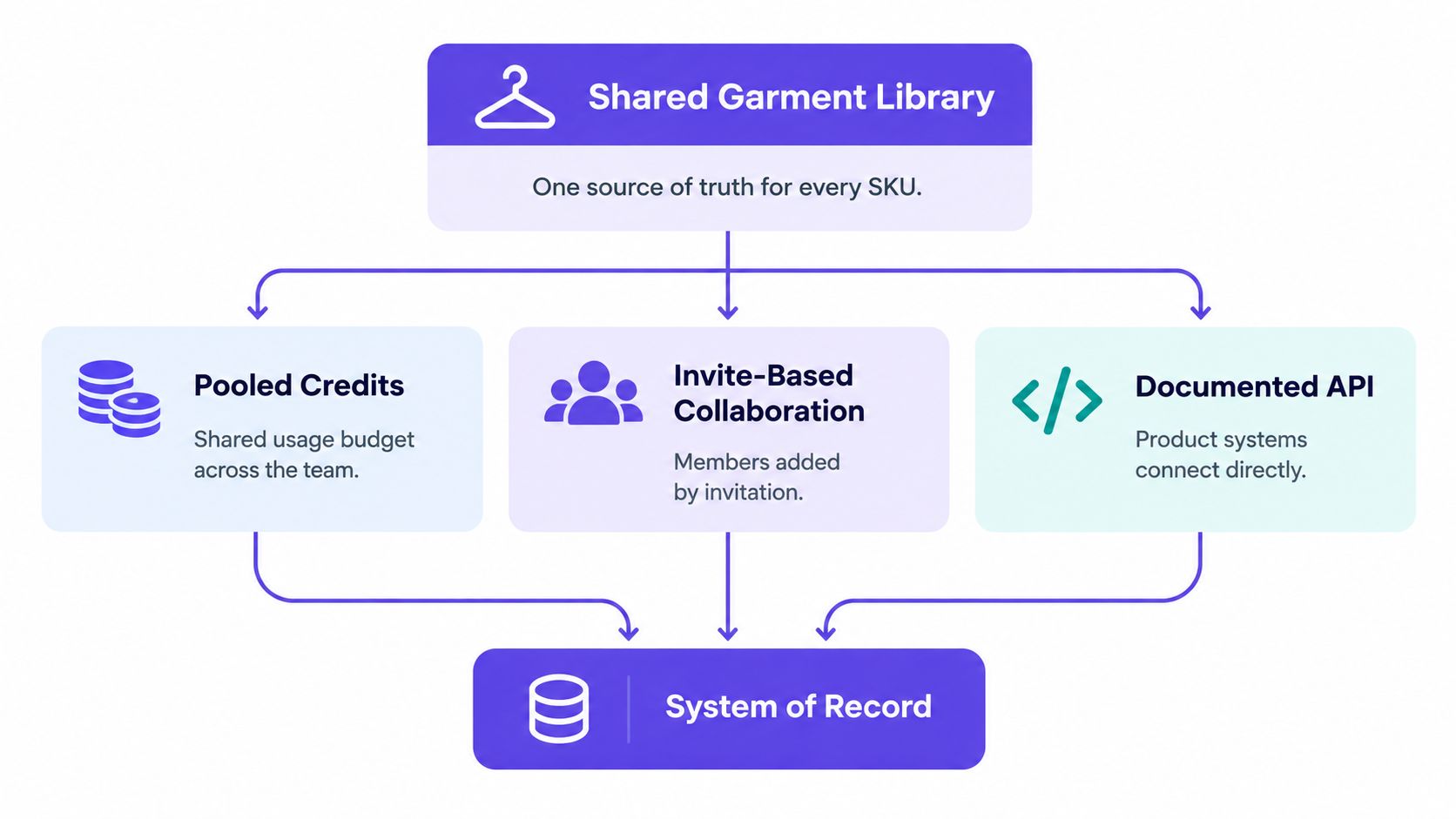
Four patterns developers can recognize
PDP automation: A catalog event identifies a product missing on-person imagery, sends the approved garment input to a generation endpoint, and returns an image for review before publication.
Lookbook generation: A merchandising brief supplies a person, a collection of garments, and a scene direction. The system creates a controlled batch while preserving the source relationships.
Marketplace enrichment: Operations teams use product data to create consistent assets for channels that require different aspect ratios or presentation rules.
AI-agent workflows: An internal assistant can select approved garments, request a generation, record the result, and route it to a human reviewer. The agent shouldn't publish unreviewed product imagery just because the API returned a successful response.
The workspace layer handles collaboration. Invite-based access lets a brand control who can use shared assets. Pooled credits make usage visible at team level rather than tying every generation to one person's account. Documented API access lets developers integrate the workflow with a PIM, catalog service, content pipeline, or internal automation. Vtry AI is one example of a platform that combines garment import, person onboarding, multi-garment styling, editing, exports, shared workspace features, and an API documentation area.
The integration contract matters as much as the endpoint. Define which input fields identify a SKU, where outputs are stored, what status means “needs review,” and how failed generations are retried. Keep approval outside the automated generation step. A system that creates assets quickly but can't explain their provenance will create operational risk at scale.
Privacy and Consent as an Adoption Lever
Retailers often lead with conversion potential, but shoppers may first ask a more basic question: What happens to my photo? A virtual try-on experience can involve a face image, body appearance, inferred measurements, behavioral signals, and a record of the garments a person explored.
A 2025 consumer-perspective study identified privacy and security as the most prominent adoption barrier, cited by 62.5% of respondents, while doubts about accuracy followed at 43.8%. The study's published proceedings make the strategic implication clear. Trust isn't a legal footnote added after the interface is designed. It is part of the product experience.
Questions a vendor must answer plainly
- Retention: Is the uploaded image stored, and for how long?
- Training: Can customer images or generated outputs be used to train models?
- Deletion: Can the shopper delete the source image and derived assets?
- Access: Which vendors, processors, employees, or analytics systems can access the data?
- Inference: Does the service perform ordinary image processing, body measurement estimation, biometric identification, or another form of analysis?
- Minors: What safeguards apply when a user is under the applicable age threshold?
- Cross-border use: Where is data processed, and which contractual safeguards apply?
A separate review reports that 60% to 68% of online shoppers express privacy concerns about body-measurement collection and notes that many systems don't clearly explain how images, measurements, or behavioral data are stored or used. Treat those findings as a design warning, not a reason to hide the feature behind vague consent language.
Use short retention periods where possible, encrypt stored data, restrict internal access by role, and provide an explicit training opt-out. Explain the workflow before upload, not after a shopper has already supplied a face image. A transparent privacy posture may do more for adoption than another unverified performance promise because users need control before they need novelty.
A Practical Pilot Plan for Fashion Teams
Start with one collection, one approved person, and one workflow pattern. Choose garment-first if the catalog lacks on-person imagery. Choose person-first if the immediate goal is a consistent lookbook or campaign.
Define the review standard before generating anything:
- Product fidelity: Check color, silhouette, logos, seams, hems, and patterns.
- Person consistency: Check face, hair, hands, body outline, and skin visibility.
- Pose coverage: Review more than a single front-facing image.
- Workflow fit: Record how easily the team imports, revises, approves, and exports assets.
- Privacy readiness: Document retention, deletion, access, and training controls before inviting real shoppers.
Run a controlled batch during the pilot, route every output through human review, and publish only approved assets. Compare the result with the existing product imagery using the signals your business already trusts, such as shopper interaction, content engagement, product-page behavior, or return feedback. Don't claim success because the images look realistic. Decide whether the workflow produces accurate, reusable assets at a level of effort your team can sustain.
The strongest first pilot is deliberately narrow. It tests the geometry, workspace, integration, review burden, and trust model together, giving the team evidence for a larger rollout instead of a collection of impressive samples.
Vtry AI provides a shared workspace for importing garments, onboarding people, creating multi-garment outfit images, editing results, and exporting production assets, with API access for connected workflows. Use the pilot criteria above to evaluate whether it fits your catalog and visit Vtry AI to explore the platform.