AI model photo generator
AI Model Photo Generator for Fashion Teams
Learn what an AI model photo generator does, how speed and resemblance models differ, and which fashion shots to keep real.
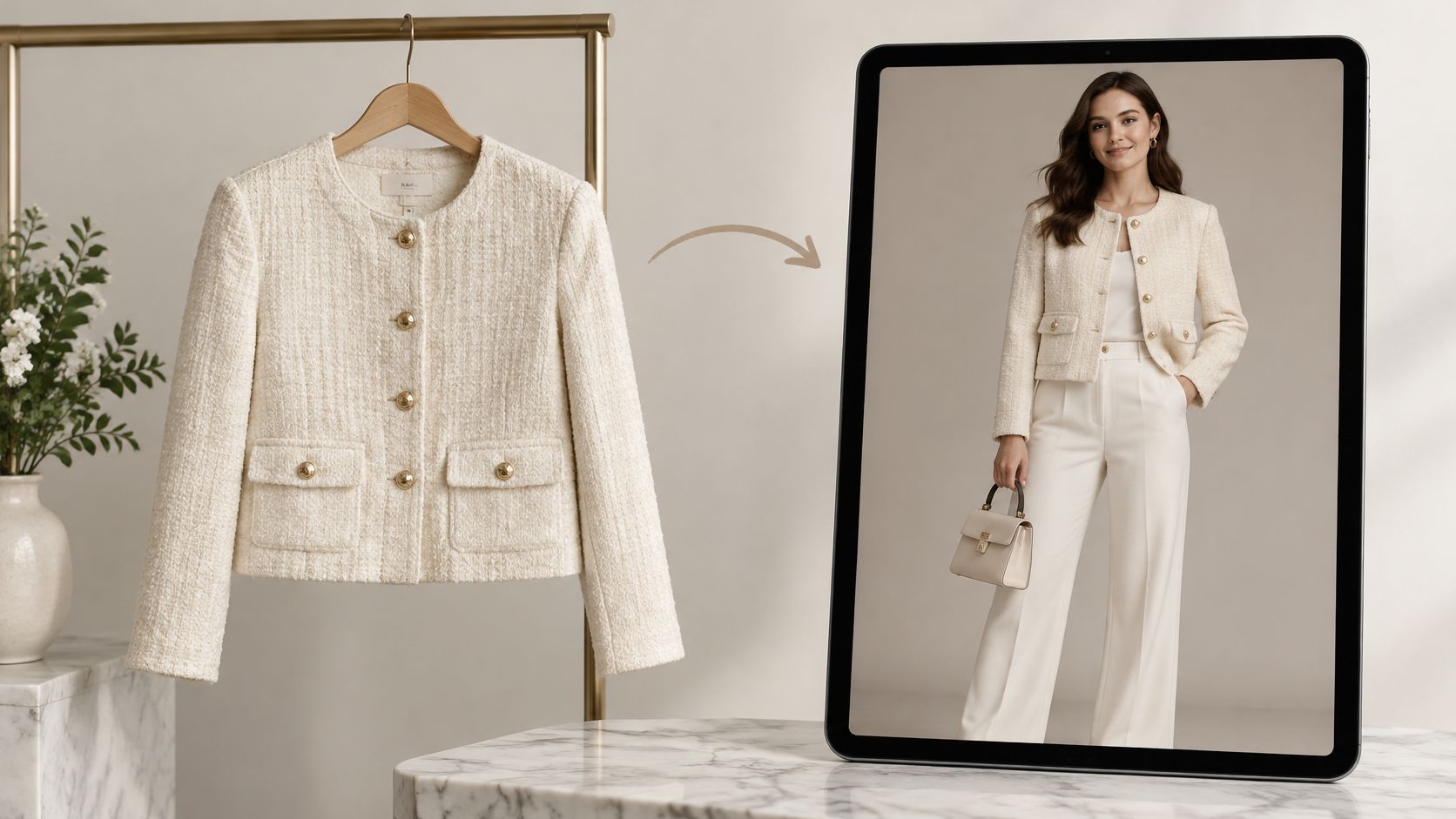
Nearly a quarter of online apparel purchases came back: Coresight Research estimated the average online apparel return rate at 24.4% in 2023, according to On-Model's fashion ecommerce statistics. That's the commercial context for an AI model photo generator. Fashion teams don't just need more pictures. They need pictures that help shoppers understand what they're buying without inventing a better-looking product.
Generated model photos can extend styling coverage and fill gaps in a catalog. They aren't automatic return reducers, reliable size evidence, or universal substitutes for a campaign shoot. The production brief should define which job the image must do before anyone chooses a model or writes a prompt.
Table of Contents
- What an AI Model Photo Generator Does
- Speed and Resemblance Model Types Compared
- How Generators Build a Fashion Image
- Fashion Imagery Jobs Worth Generating
- When AI Models Reduce Buyer Trust
- Styling Photos Are Not Fit Evidence
- Run a Pilot Before Publishing
What an AI Model Photo Generator Does
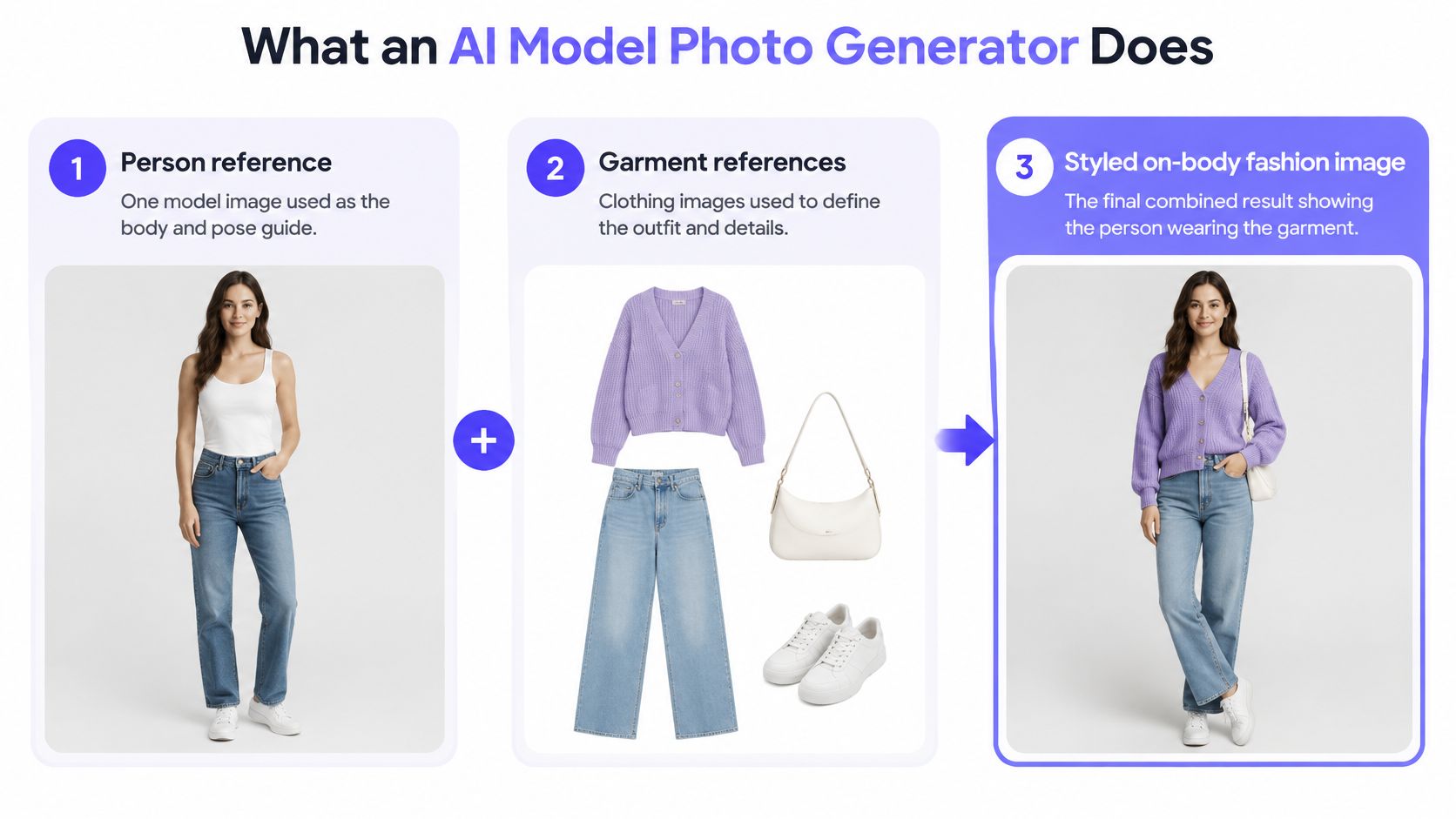
An AI model photo generator combines a person reference and garment references into a styled, on-body fashion image. Depending on the workflow, the team can also direct the pose, lighting, framing, and background. The useful output isn't just a convincing person. It's a readable representation of the merchandise.
Say a merchandiser needs to show a cropped jacket with wide-leg trousers. A cutout communicates the jacket's construction, but it doesn't explain how its length works with the trouser rise. An on-body composition can help communicate that relationship, provided the generator preserves both garments rather than redesigning them.
Separate the deliverables
These outputs belong in different places in a production brief:
- Packshot: The garment alone, without a wearer. Use it to communicate shape, construction, and product details.
- Single-item virtual try-on: A garment applied to an existing person image. The surrounding photo provides much of the composition.
- Generated complete look: A person wearing a coordinated outfit within a directed scene. Layering, proportions, accessories, and framing become part of the job.
The workflow combines references rather than treating the product as a loose visual suggestion.
Write the brief around shopper questions
For the jacket example, ask for a clear waistline, visible cuffs, and enough trouser length to judge the silhouette. Keep the background restrained. A dramatic seated pose might make a stronger editorial frame while hiding the very proportions merchandising needs to show.
The practical gain is more visual coverage without arranging a separate shoot for every combination of garment, person, and pose. That can support outfit selection, color coordination, and catalog planning. It doesn't establish how the garment will fit an individual shopper.
Production boundary: Generate an image to answer a defined styling question, not to manufacture reassurance the product information can't support.
The initial technical choice follows that brief: use a faster path to explore compositions, or prioritize resemblance when the same recognizable person must recur across the collection.
Speed and Resemblance Model Types Compared
| Path | Best use | Speed and cost | What it preserves | Resolution habit |
|---|---|---|---|---|
| Fast model | Drafts, social crops, many outfit tests | Lower-latency, lower-compute exploration | Usable person and clothing representation, with identity drift to check | Work smaller, then upscale selected finals |
| High-resemblance model | Repeatable catalog person and campaign stills | Budget more time and compute for resemblance | Prioritizes face, body, tattoos, accessories, and garment detail | Use native higher resolution when supported |
| Diffusion try-on pipeline | Full outfits with controlled pose and light | Set by output size, conditioning, and refinement | Person and garment references, subject to input quality and review | Start at the pipeline's working resolution |
| Dedicated high-resolution stage | Zoomable catalog and advertising finals | Additional memory, processing time, and review | Enlarges detail, but doesn't guarantee its accuracy | Apply super-resolution to an approved working image |
Treat these as production paths, not a leaderboard. A diffusion try-on pipeline can sit behind either a fast or resemblance-focused interface. A resolution stage is a finishing operation, not an alternative to person and garment conditioning.
For drafts, choose speed when the decision is about outfit direction: whether the jacket belongs with those trousers, whether the crop is useful, or whether a background distracts from the product. Don't spend finishing resources on a composition that merchandising hasn't approved.
Pay for consistency where it matters
A resemblance-focused path makes sense when a catalog person must remain recognizable across a collection. Review the face, body proportions, distinctive marks, and accessories across the series, not just within an isolated frame. An attractive portrait can still be the wrong person.
Clean references matter on either path. A garment photographed on another model can introduce conflicting visual information, while a poorly lit person reference makes likeness harder to assess. More processing isn't a substitute for clearer inputs.
Record time to approved image, not just generation time. A quick draft that needs repeated corrections may be less useful than a slower result that passes the production checks.
Resolution is a separate approval
Global attention makes memory demand rise quickly as image size increases, helping explain why many diffusion pipelines historically capped outputs near 1024×1024, as discussed in the Inf-DiT chapter on high-resolution image generation. That's why native high-resolution output isn't merely a toggle. Architecture, memory management, and finishing methods all matter.
Generate at a working size while composition is unsettled. Once approved, use a supported native high-resolution workflow or a dedicated upscale, then inspect the result at the size shoppers will view.
Look closely at knit texture, topstitching, lettering, and facial features. An upscale can make an incorrect seam sharper; it can't turn that seam into factual product evidence.
Use the fast path to explore, the resemblance path to repeat a person, and a checked upscale for assets shoppers will zoom.
How Generators Build a Fashion Image
Fashion generators have moved beyond applying a visual effect to an existing photograph. Their job is to synthesize a scene while following constraints from different references. Understanding that distinction helps a production lead identify what needs checking.
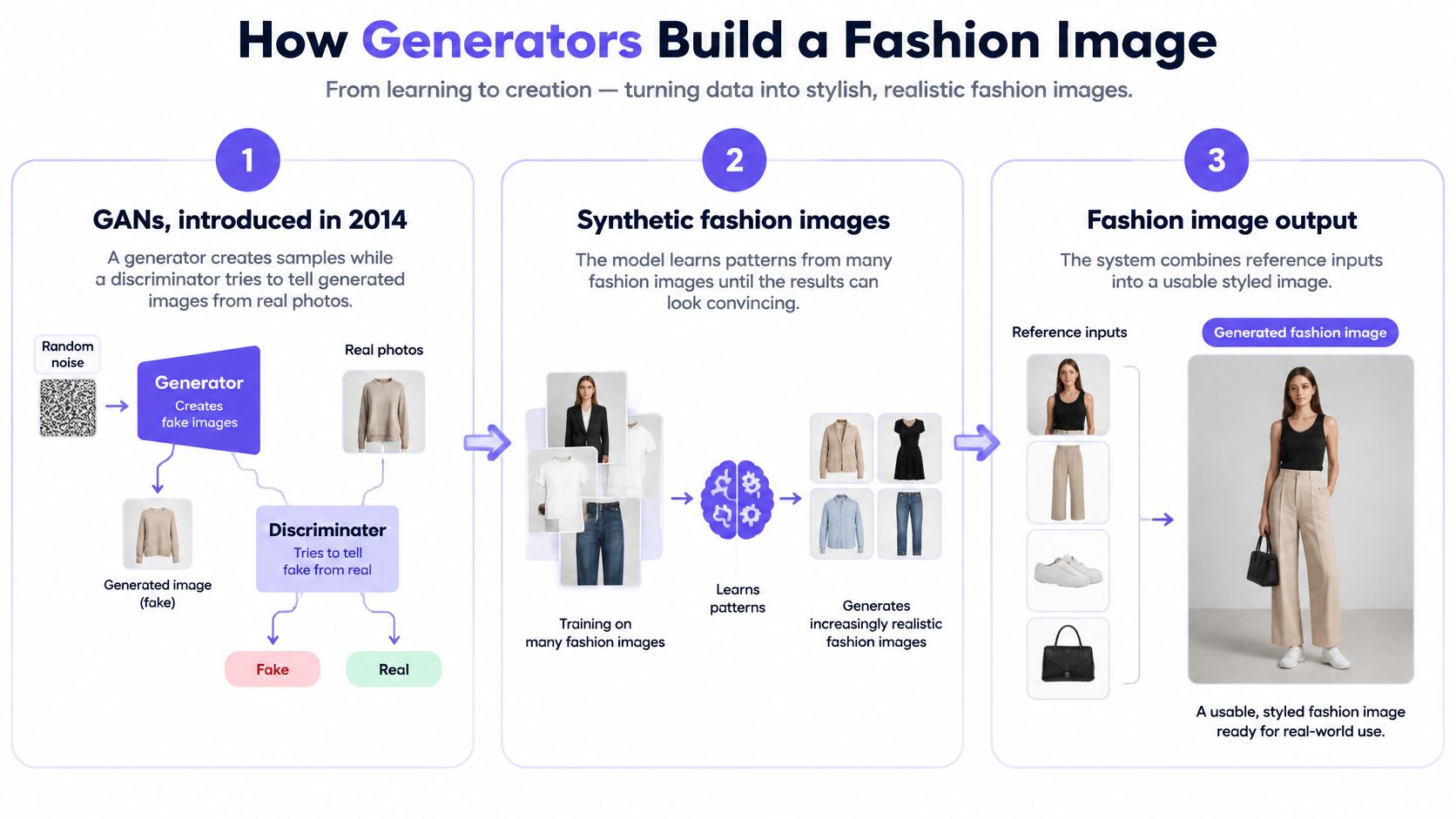
In 2014, Ian Goodfellow and colleagues introduced generative adversarial networks, in which a generator creates samples while a discriminator tries to distinguish them from real data, as summarized in Designerbox's discussion of fashion image generation. The same account describes the later shift toward diffusion models, which learn to reverse a gradual noising process and support text-guided synthesis.
From photographic plausibility to directed composition
Think of diffusion as a darkroom analogy, not a literal development process. The system starts with visual noise and gradually resolves a person, clothing, light, and surroundings under the constraints it receives. A prompt directs the result, while image references provide visual information that words alone can't specify precisely.
The distinction between learning patterns and combining references is useful when reviewing a generated frame.
Fashion makes this difficult because the parts interact. A jacket sleeve must surround an arm, a bag strap must pass in front of some surfaces and behind others, and a tucked shirt must meet a waistband convincingly. The system must manage those relationships without changing the merchandise.
Keep identity and product approval separate
Person identity means the face, body, tattoos, and intended accessories match the reference. Garment fidelity means the fabric, seams, logos, construction, and color match the product. Neither approval substitutes for the other.
The CCVTON paper on high-fidelity virtual try-on identifies texture preservation and distinctive identity attributes as persistent challenges, alongside the cost of collecting and preprocessing paired person-garment training images. A production team should therefore evaluate reference preservation rather than relying on a general impression of realism.
Use separate review passes. First compare the person with the approved reference. Then compare each garment with its source image, temporarily ignoring whether the overall composition feels appealing.
Clean garment inputs make that comparison easier. Remove unrelated faces from garment references where possible, avoid ambiguous folds, and supply a clear view of important construction. When several pieces share a frame, check their boundaries individually.
On the next sample, inspect the face, logo, seam paths, and layer junctions before discussing mood. Those checks can reject a beautiful but commercially inaccurate image early.
Fashion Imagery Jobs Worth Generating
A useful generation brief names the deliverable and the variable allowed to change. “Make this fashionable” gives the system permission to reinterpret too much. “Keep the approved outfit and person, change only the background” creates a result the team can compare.
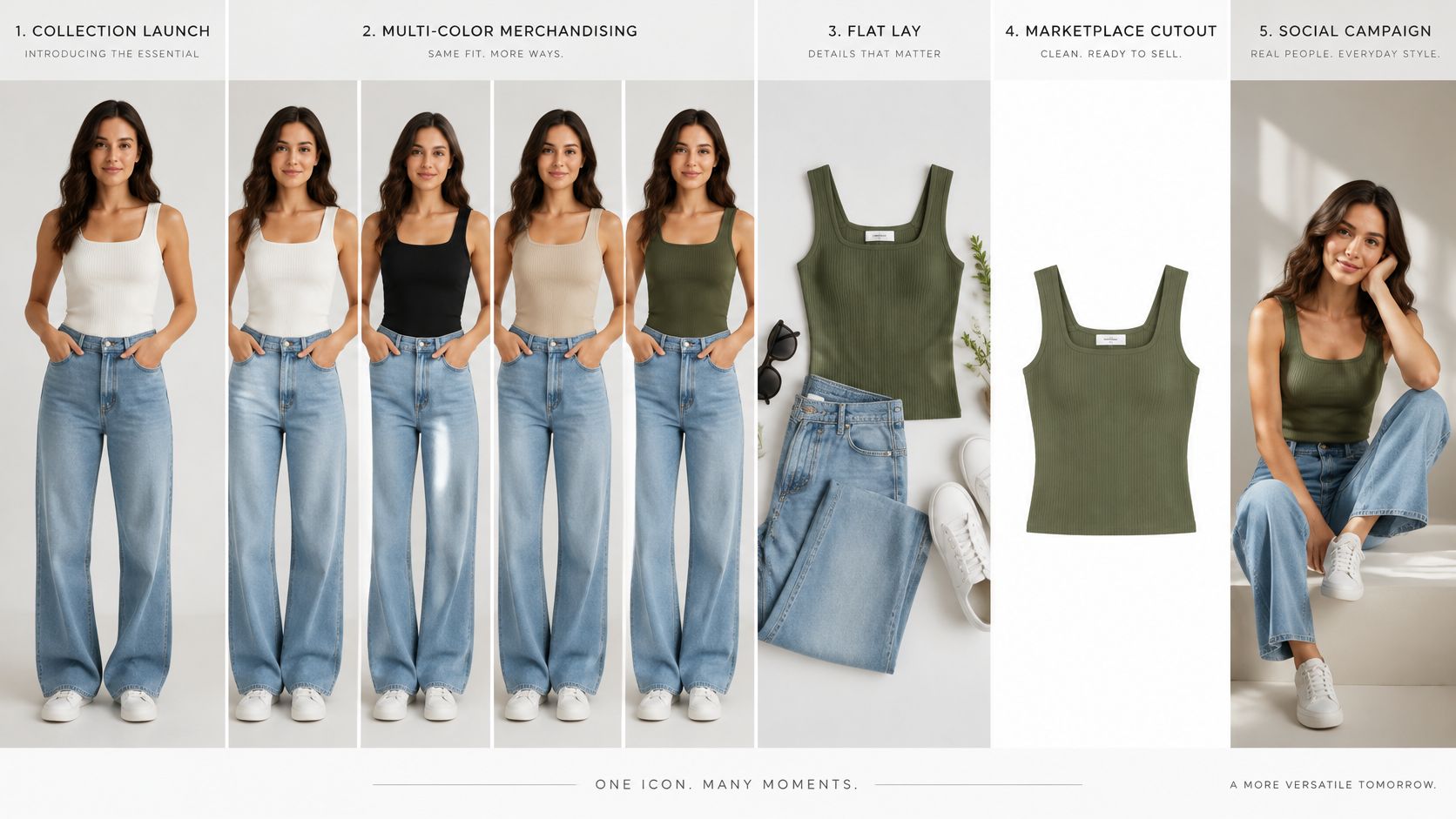
These are distinct production jobs, even when they share the same garment library.
Collection launches and catalog gaps
For a collection launch, save an approved person and establish a plain studio baseline. Keep the crop, stance, and lighting consistent while merchandising compares colorways. A prompt that changes both pose and garment makes it harder to tell why a silhouette looks different.
For marketplace long-tail coverage, start with a clean product image and make the garment large in the frame. The aim is a useful on-body view for an item that won't receive a full shoot, not an elaborate scene. A wrinkled packshot can leave the generator guessing which folds describe the construction and which are accidental.
Before export, compare the generated product outline with the original. Reject missing pockets, shortened hems, or invented fastenings even if the result looks polished.
Social sets and complete looks
A social set needs channel-specific framing without unnecessary product changes:
- Vertical story: Leave room for interface elements and keep essential garment details visible.
- Square post: Check that the tighter crop doesn't remove the feature being promoted.
- Wide banner: Extend the scene rather than stretching the person or reshaping the outfit.
For a complete look, bring the top, outer layer, trousers or dress, shoes, and accessory into the styling review together. The distinction between selecting clothing and constructing a coherent outfit is central to what fashion stylists do. A product photo containing another model's face is a poor input because it adds an unwanted identity reference.
Use a workflow demonstration to assess how references, composition, and edits are handled.
Give the final asset a channel-specific review: identity, seams, logos, unembellished color, and crop. Professional headshots from everyday photos are a separate portrait task for team or talent presentation, not evidence about the clothing.
These jobs justify generation through styling exploration and catalog coverage. Neither benefit, by itself, earns an image the hero position.
When AI Models Reduce Buyer Trust
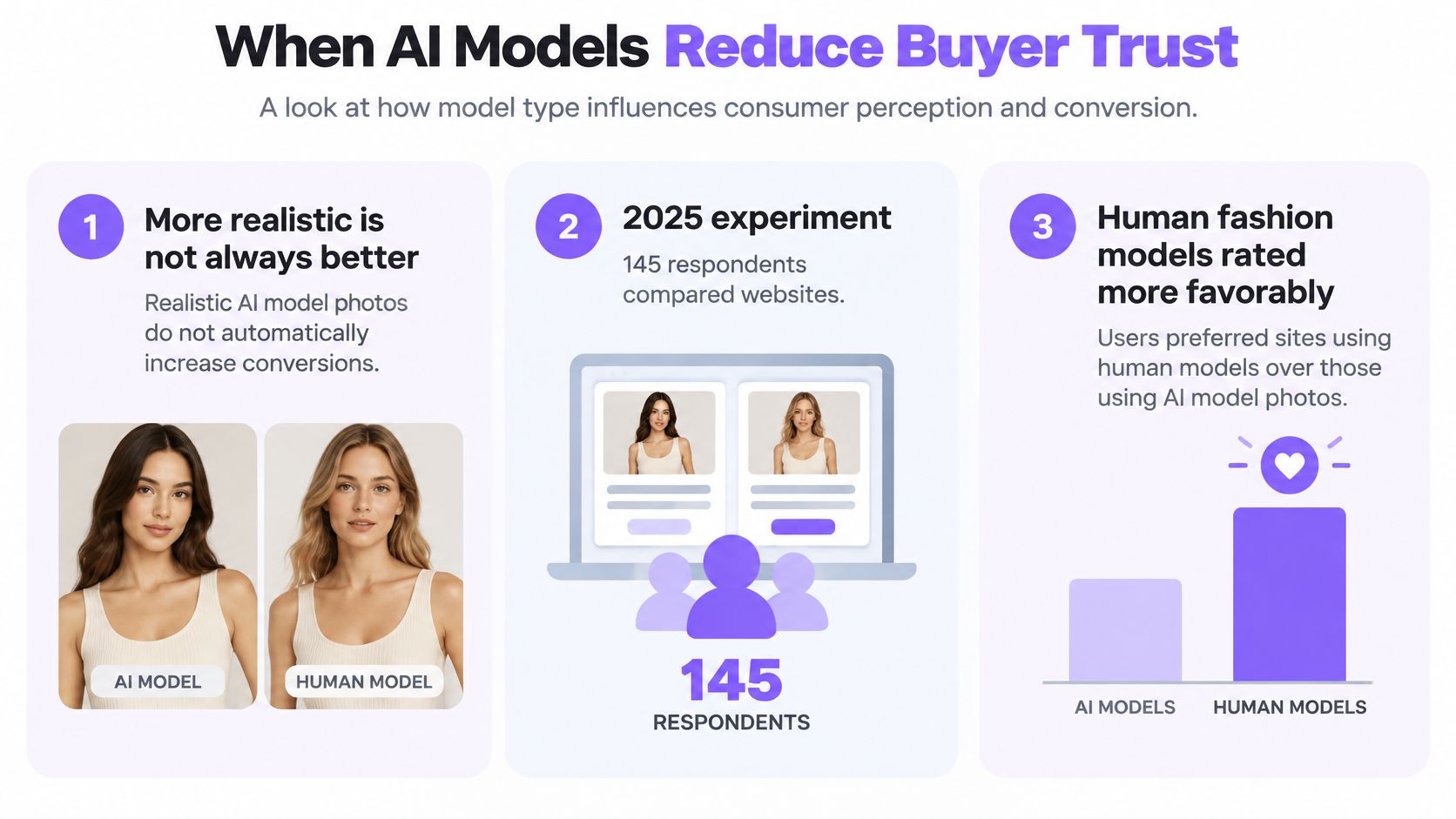
A 2025 experiment with 145 respondents found that websites using human fashion models were rated more favorably for consumer trust and purchase intention than websites using AI-generated models, according to the IRJEMS study on AI fashion models. The AI-labeled condition performed weakest, and the negative effect was stronger for high-involvement products. That's a reason to test audience response, not to assume greater visual realism will improve sales.
The result doesn't establish how every brand's customers will behave. It does challenge the idea that disclosure alone removes the credibility problem. A shopper can understand that an image is synthetic and still prefer evidence of an actual person wearing the garment.
The distinction matters when deciding which assets deserve prominent placement.
Match the medium to the purchase
| Job | Prefer | Why |
|---|---|---|
| Exploratory styling and long-tail coverage | AI model photos | Many looks without a shoot for every SKU |
| Repeatable ecommerce series | Saved person with one change at a time | Consistency matters more than a single striking frame |
| Hero campaign for high-involvement fashion | Human photography, with any AI labeled | Trust and purchase intent can drop with synthetic models |
| Fit-sensitive product page | Measurements plus multi-view photos | A flattering drape isn't size evidence |
For a high-consideration item, shoppers may scrutinize fabric quality, workmanship, and how the brand presents itself. A synthetic person shouldn't become the only available evidence. Prioritize photographed product details and a clear account of which images were generated.
Keep the visual identity deliberate, too. A new face on every product can make the catalog feel assembled from unrelated campaigns. An approved recurring person helps the team maintain a coherent presentation, although consistency doesn't prove authenticity.
Test credibility, not just attention
Label synthetic people where they appear in advertising or on product pages as a transparency practice. Keep the label understandable and close enough to the image that shoppers don't have to search for it. Don't treat labeling as permission to alter product characteristics.
For a controlled comparison, hold the offer, copy, placement, and product information steady. Separate audiences and product categories rather than averaging every response into a single result.
Record purchase behavior alongside direct feedback about trust and product understanding. An image that wins a click but leaves shoppers uncertain about what arrives in the parcel hasn't solved the merchandising problem.
Generated model images aren't a universal replacement for photography. Production savings only help if shoppers still believe the product presentation.
Styling Photos Are Not Fit Evidence
A model photo can communicate color, layering, and a styled silhouette. It can't establish garment measurements, stretch, movement, or drape on another body. In a Coresight Research survey of 100 U.S. apparel brand and retail decision-makers, 53% identified size and fit as the leading reason for online apparel returns, ahead of color at 16% and damage at 10%, as reported in Photta's virtual try-on statistics.
Those are different problems with different remedies. A generator shouldn't be assigned responsibility for all of them.
| Shopper problem | Useful supporting evidence | What generation can't establish |
|---|---|---|
| Size and fit | Garment measurements, size chart, fit notes, photographed body references | That a chosen size will fit the shopper |
| Color mismatch | Carefully controlled product photography and accurate color descriptions | Exact appearance across screens and lighting |
| Damage | Inspection, protective handling, and fulfillment checks | The condition of the item delivered |
Match the evidence to the claim
For size questions, publish garment measurements and explain how they were taken. Distinguish a body-size recommendation from the dimensions of the finished garment. Fit notes should identify the intended silhouette, such as close-fitting through the waist or relaxed through the thigh.
Show front, side, and back views where they clarify construction. When using different bodies, don't imply that synthetic body variation validates real-world sizing. Photographed references with recorded model and garment measurements offer a different kind of evidence.
Color needs restraint. Avoid edits that make a muted fabric more saturated or a sheer panel more opaque. Treat generated styling views as companions to controlled product images, not replacements for them.
Damage belongs with warehouse inspection and fulfillment. No on-model composition can establish whether a shipped item will have a broken fastening or a stain.
Don't improve the fit by changing the product
A polished render can set the wrong expectation if it pulls a waistband inward, smooths a restrictive sleeve, or gives rigid fabric a fluid drape. Those aren't harmless beauty adjustments. They change what a shopper believes the garment will do.
A sound ecommerce model photography workflow pairs on-body presentation with fabric notes, construction details, measurements, and explicit limits on what the image demonstrates. Publish the actual product information even when it makes the page less visually minimal.
Track size exchanges, return reasons, complaints, and conversion by garment category. If shoppers buy more but report misleading fit, the imagery needs revision. The publishing test is straightforward: if the claim is about fit, the generated photo isn't the evidence.
Run a Pilot Before Publishing
Generate exploratory styling, catalog gaps, and controlled creative variations. Reserve photographed evidence for decisions that depend on real construction, physical fit, or campaign credibility. Give the pilot a narrow assignment so the team can judge a repeatable workflow rather than a collection of attractive exceptions.
Set the approval route
| Job | Prefer | Why |
|---|---|---|
| Exploratory styling and long-tail coverage | AI model photos | Many looks without a shoot for every SKU |
| Repeatable ecommerce series | Saved person and one change at a time | Consistency matters more than a single striking frame |
| Hero campaign for high-involvement fashion | Human photography, with any AI labeled | Trust and purchase intent can drop with synthetic models |
| Fit-sensitive product page | Measurements plus multi-view photos | A flattering drape isn't size evidence |
Assign someone to approve the product representation, not just the creative direction. That person needs access to the original garment images and product specifications.
Run the production loop
Write the destination first. Specify the channel, crop, background, and whether the image supports styling or a fit-sensitive page. Define rejection criteria before generating.
Prepare the person reference. Choose clear, well-lit photographs with a neutral pose and an unobstructed face. Reuse the approved person rather than introducing a new identity for each garment.
Build the garment set. Import the product references and remove ambiguous or irrelevant imagery. Assemble the intended outfit before adding scene complexity.
Choose the processing priority. Use the faster option for composition approval. Move to the resemblance-focused option when continuity across the series becomes the acceptance criterion.
Generate, edit, and inspect. Make a bounded request, such as changing the background while preserving the outfit. Compare the result with its references before approving export.
Our workspace at Vtry AI supports this loop as an AI fashion photo studio and virtual try-on platform. Add a person using up to 3 photos or a camera capture, add clothes through a product URL or in-app search, then generate and edit outfits containing up to 7 garments; Nano Banana 2.1 prioritizes faster results, while GPT Image 2.5 prioritizes superior resemblance.
Keep an approval log containing the source references, accepted output, and reasons for rejection. That gives a team pursuing product photography automation a practical basis for deciding which tasks can proceed automatically and which require review.
Measure approved-output speed alongside size exchanges, complaints, and return reasons. Publish measurements beside generated looks whenever the page asks shoppers to make a fit decision.
Visit Vtry AI to build a pilot that combines an approved person with your garment references, then refines the result through text-based editing. Start with a small catalog styling assignment, review the outputs against the actual products, and publish only the images that set accurate expectations.