ai photo studio
AI Photo Studio Guide for Fashion Brands in 2026
Learn what an AI photo studio is, how virtual try-on and AI fashion photography work, and why ecommerce brands use them to scale outfit imagery faster.
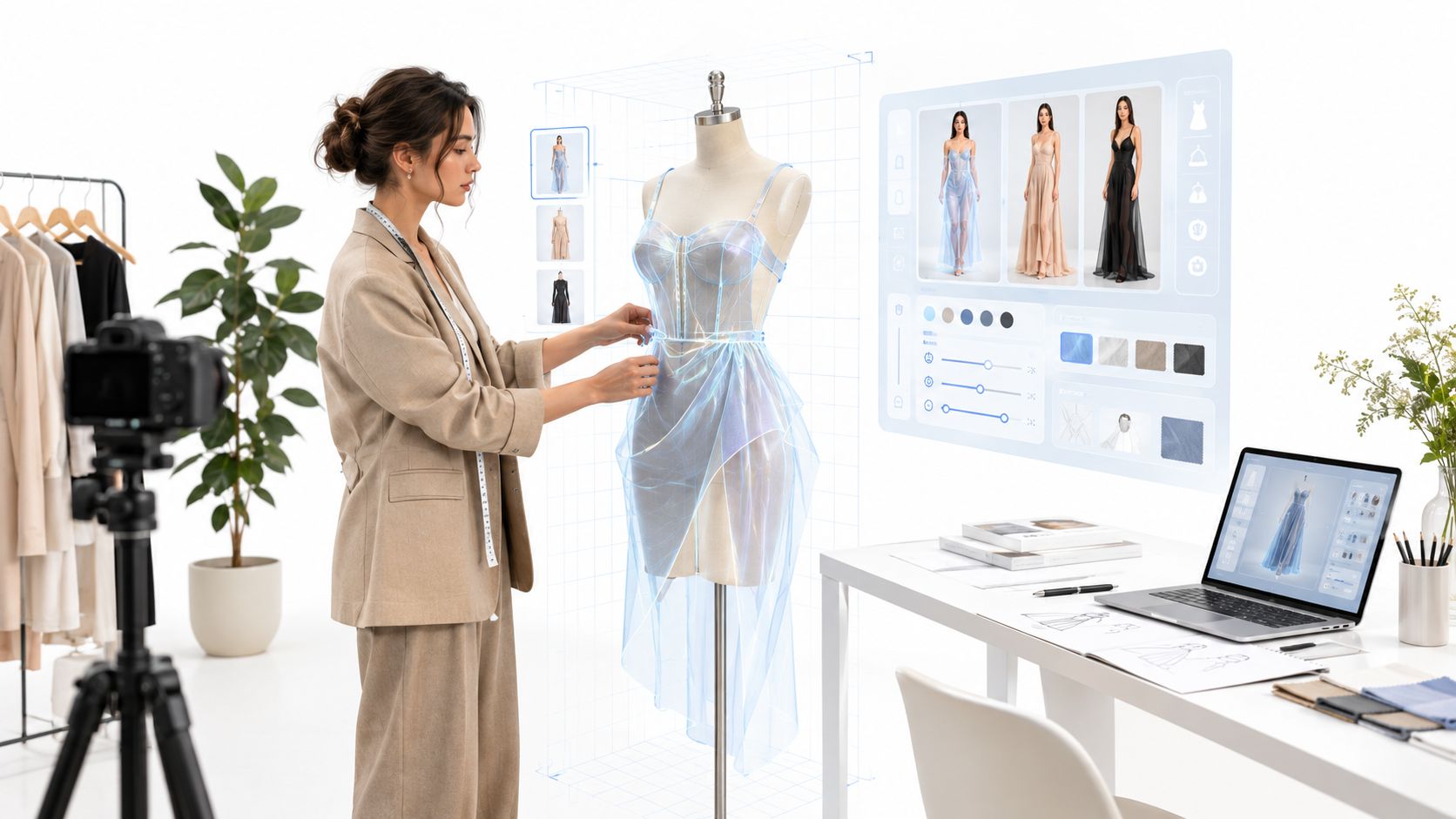
The collection is due next week. Product images still need to be photographed, retouched, cropped for the online store, resized for ads, and adapted into social posts. The creative team is juggling samples and studio bookings, while ecommerce needs usable assets before the launch calendar moves on.
That familiar crunch is why fashion teams are looking at an AI photo studio as more than a way to make a single image. The useful question isn't just whether a generated picture looks convincing. It's whether the whole content operation can bring garments, people, creative direction, edits, review, and exports together, while keeping clear limits around what those images can claim.
Table of Contents
- The Launch Week Most Fashion Teams Already Know
- What an AI Photo Studio Actually Is
- Core Capabilities That Define the Category
- A Typical AI Photo Studio Workflow for Fashion Brands
- How AI Photo Studios Compare With Traditional Options
- What AI Photo Studios Cannot Safely Replace
- Evaluating Whether an AI Photo Studio Fits Your Roadmap
The Launch Week Most Fashion Teams Already Know
A fashion launch often starts with a simple request: show the new collection on people, in settings that help shoppers understand how each piece might fit into their wardrobe. Then the practical work arrives. Someone has to prepare garment references, arrange models and photography, review retouching, crop images for different channels, and keep product details aligned across the set.
When launch dates are tight, those tasks compete for the same people and budget. A late sample can hold up a shoot. A change to a product page can trigger a fresh crop. The marketing team may need a different setting or aspect ratio from the ecommerce team, and the files can end up scattered across editing tools, folders, and message threads.
An AI photo studio offers another way to organize that work. A team can use garment and person references to create outfit imagery, test scene directions, refine an output, then prepare the asset for a channel. That doesn't make every image production-ready, and it doesn't remove the need for creative judgment. It can, however, give teams a shared environment for work that might otherwise move between disconnected tools.
The bottleneck is the workflow
The category makes the most sense when viewed as an answer to repeat production pressure, not as a novelty image generator. A single striking picture may help a campaign, but an ecommerce team needs a dependable process: someone imports the right garment, someone else reviews the generated result, and the approved image reaches the right destination with its context intact.
That operational view also matches wider business adoption. In McKinsey's 2025 State of AI survey, 88% of respondents said their organizations regularly used AI in at least one business function, up from 78% the prior year. More than a third said their organizations used generative AI to create images. Yet more than 80% said their organizations hadn't seen a tangible enterprise-level EBIT impact from generative AI. The distinction matters: making images is not the same as proving business value.
The operating question: Can the team get suitable content through review and into use with fewer handoffs, without weakening product accuracy or customer trust?
What an AI Photo Studio Actually Is
An AI photo studio is a production workspace for fashion imagery. It brings the inputs, creative choices, generated outputs, review history, and delivery steps into one environment, accessed through a user interface or, where supported, an API.
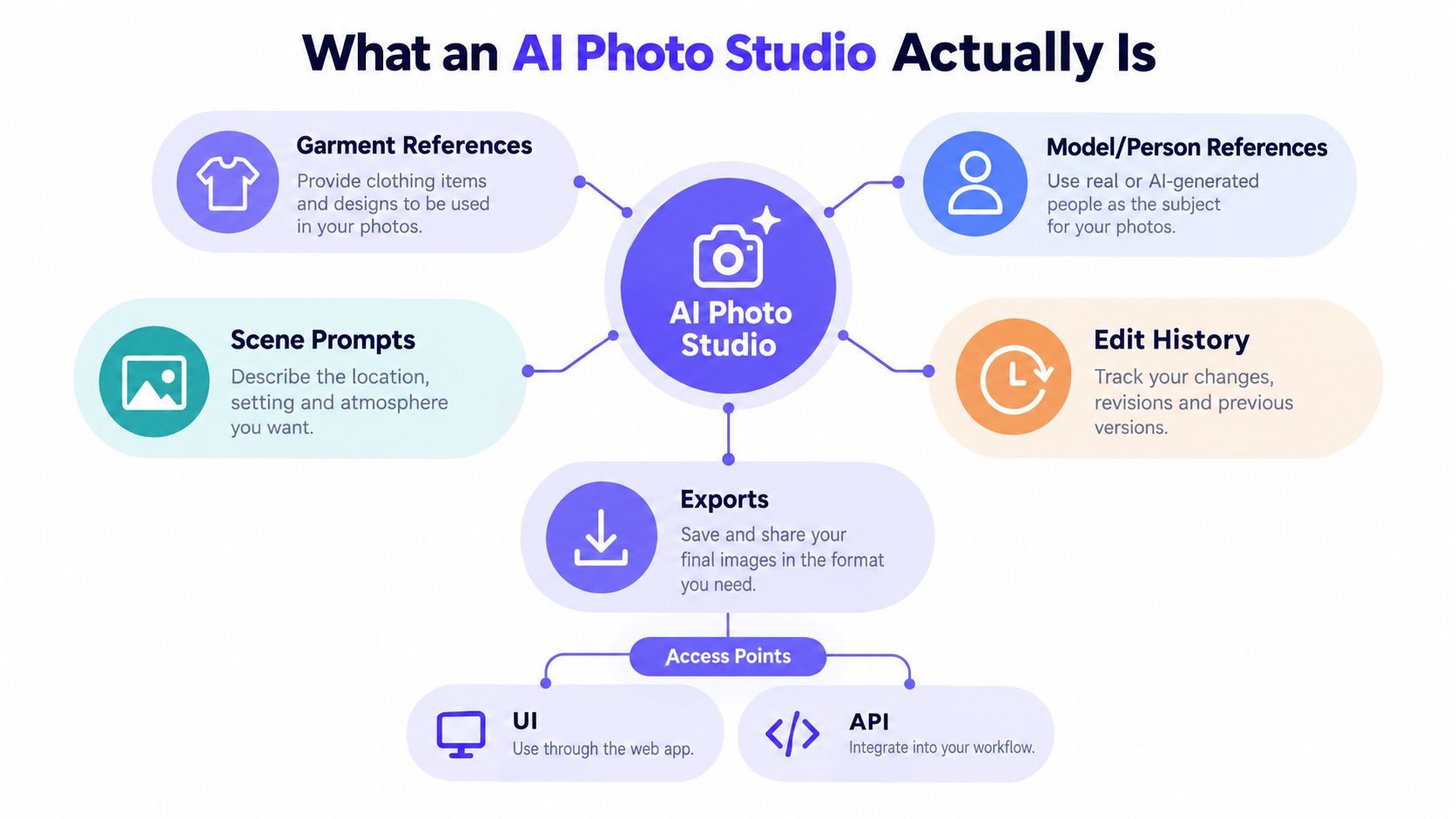
A team can think about the workspace in five parts:
- Garment references identify the products that should appear in the image.
- Person references provide a person or model image to guide the result.
- Scene prompts describe the setting, styling, and composition.
- Edit history helps people understand how an image changed during review.
- Exports prepare approved content for its intended channel.
The difference from a point solution is easy to see on a busy launch. A single-purpose tool may generate one image, but the team could still need to find the garment source again, locate the prompt that produced an approved look, make edits elsewhere, and track which file went live. A shared workspace helps keep those pieces connected. That supports reuse across products or seasons and gives collaborators a clearer record of what they reviewed.
Models are part of the system, not the whole system
Some studios let users choose between image models to balance speed and visual resemblance. For example, a platform may offer Nano Banana 2 for faster generation and GPT Image 2.5 when resemblance is a priority. The right choice depends on the task and how carefully the result needs to preserve the source details.
Model selection still doesn't solve the larger production problem. People need to manage references, refine images, review outputs, and produce files in usable formats. An interface helps a team create and check images directly; an API can connect those steps to product or content systems.
Think of the workspace as the unit of value. A model produces an image, but the studio organizes how people and garments enter the process, how edits are checked, and how a usable asset gets out.
Core Capabilities That Define the Category
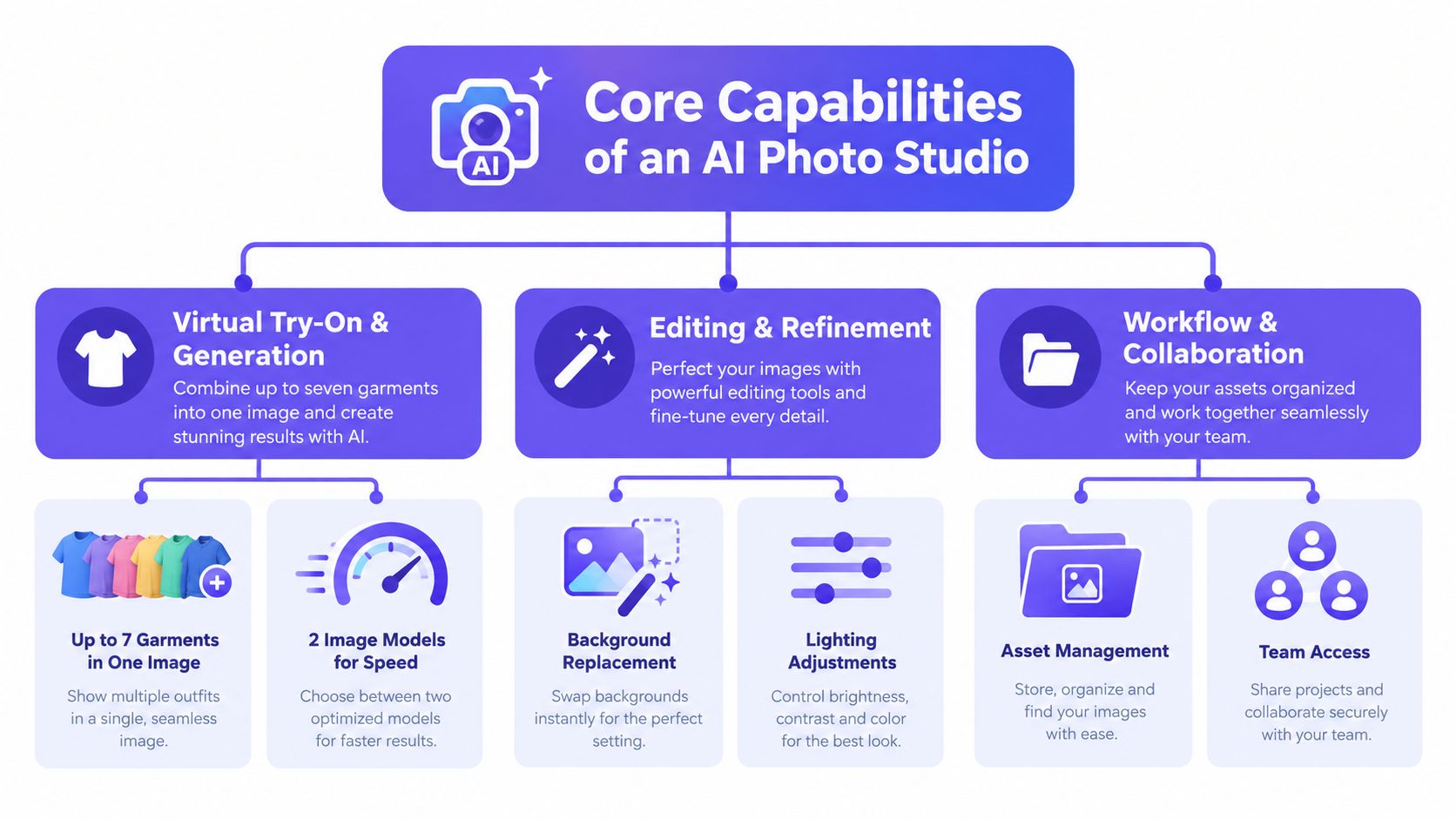
The simplest way to assess an AI photo studio is to follow a fashion asset through production. The capabilities usually fall into three stages: creating an outfit image, refining it, and preparing it for use. Their value comes from reducing the handoffs between stages.
Create the look
Virtual try-on and image generation combine garment references with a person reference and a scene direction. Some tools support multiple garments in one output, allowing a team to explore a complete look rather than place a single item on a person. Vtry AI, for example, supports combining up to seven garments in one generated image.
That can be useful for styling exploration, but the number of items isn't a quality guarantee. A multi-piece outfit still needs review for layering, logos, accessories, and the identity of the garments. Interactive 3D camera controls can help a user adjust the composition before rendering, while a choice of models can help balance turnaround time against resemblance.
Refine the result
Once an image is generated, the team may need to change the background, adjust brightness or color, or make a text-directed edit. Prompt assistance and a curated prompt gallery can help users express a creative direction, especially when they need a repeatable scene or styling approach. Saved person and garment libraries make it easier to reuse approved references instead of rebuilding the setup for each task.
Adobe's 2025 Creators' Toolkit survey found that 86% of surveyed creators were actively using creative generative AI. Editing, upscaling, and enhancement were among the leading uses, at 55%, while 60% reported using more than one creative generative-AI tool in the previous three months. That points to a practical requirement for fashion teams: generation should fit into an editing workflow, not leave the user to stitch together separate tools.
Prepare and deliver
Export is its own production stage. Teams may need social-ready aspect ratios, high-resolution output, or an upscaled image for a larger placement. Some platforms offer 4K upscaling and native 4K generation on supported plans. Face-detection warnings can also flag product images that contain faces, helping reviewers distinguish a garment reference from a person reference.
For a closer look at how these capabilities fit together, watch this AI photo studio workflow video.
A studio is most useful when creation, editing, and delivery live in the same workspace. A feature list matters less than whether the team can move an image from source material to reviewed export without losing context.
A Typical AI Photo Studio Workflow for Fashion Brands
A useful workflow starts with the product and ends with an approved asset, not with a prompt. Each stage gives the team a chance to catch a mismatch before it travels to a product page or campaign.
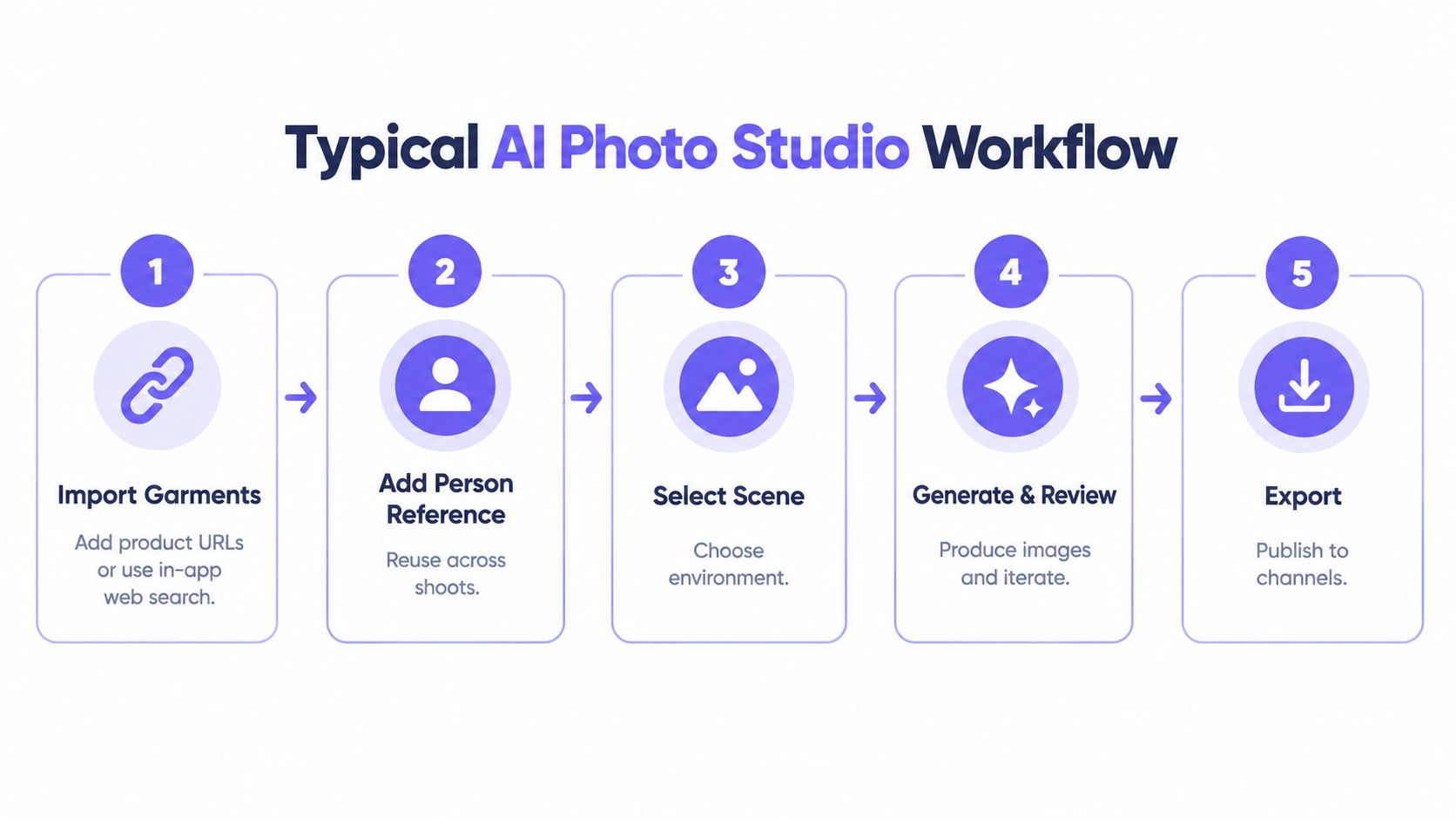
Import the garments. Bring in product images from a URL or use an in-app search if the studio supports it. Check that the references show the product clearly, and that they represent the version the team intends to merchandise.
Add the person reference. Upload or select a person image, then save it if the same reference will be used again. This saves setup effort, but the generated output still needs an identity-preservation review.
Choose the scene and model. Select a prompt or a curated preset, then decide whether speed or closer resemblance matters more for this task. Adjust the framing before generation when the studio provides camera controls.
Generate and review. Check whether the garment's visible design details, color, and layering match the source. Review the person's identity and pose, and resolve any warnings about faces in the garment references. If a detail is wrong, refine the image or return to the source inputs rather than treating a polished result as automatically accurate.
Edit and export. Make targeted text-based or quick adjustments, then choose an aspect ratio and resolution suited to the destination. Keep the approved output and its context together so another team member can trace what was reviewed.
Teams that already manage garment assets for online retail may find it helpful to review these Shopify product photography considerations alongside their studio workflow.
Where automation fits
A person using the studio interface can review each image as it's created. An API path can connect a new SKU to a backend process that generates a styled image without a person initiating every step. That can help with volume, but it doesn't make oversight irrelevant. A brand still needs clear rules for which outputs can be published automatically and which require human review.
Practical rule: Automate repeatable production steps, but keep review criteria tied to the product claims the image will support.
How AI Photo Studios Compare With Traditional Options
Fashion teams don't choose imagery workflows in the abstract. They weigh a studio shoot against manual editing, a focused try-on product, or a shared AI photo studio, based on the work that needs to get done.
| Method | Cost per Look | Time per Look | Model Identity Control | Collaboration |
|---|---|---|---|---|
| Traditional studio shoot | Depends on production, crew, location, and usage needs | Requires scheduling, shoot time, and post-production | Direct casting and photography control | Usually coordinated across the production team and asset storage |
| Manual editing pipeline | Depends on staff time and tool costs | Can involve repeated handoffs and individual edits | Depends on source photography and editing process | Often spread across editing tools, folders, and review channels |
| Single-purpose try-on tool | Depends on the product and workflow | Can be quick for a focused try-on task | Varies by reference controls and output behavior | Often centered on the tool's specific try-on function |
| AI photo studio | Depends on the platform, usage, and review load | Can support faster generation and iteration | Uses person references, with results requiring review | Can centralize references, edits, and exports in a shared workspace |
The table isn't a promise that one method always costs less or finishes sooner. A shoot provides direct control over a real photographed scene. An AI photo studio can help a team create and adapt imagery without arranging a new shoot for every creative direction, but generated outputs still need checking. Manual editing can offer precise control, while a point try-on tool may suit a narrow product need without managing the broader content pipeline.
Control also has more than one meaning. A team may control which person reference it supplies, but that doesn't guarantee the generated image will preserve identity or every garment detail. Similarly, collaboration features can help teams share work, but they don't replace decisions about model consent or disclosure.
For practical guidance on planning image production, see these clothing photography tips for ecommerce teams. The right choice depends on the bottleneck hurting most this quarter: production cost, turnaround, creative control, or the ability to handle more products without adding disconnected work.
What AI Photo Studios Cannot Safely Replace
A polished outfit image can help a shopper picture a styling idea. It can't prove how a garment will fit that shopper's body. Treating generated imagery as fit evidence risks creating expectations the product may not meet.
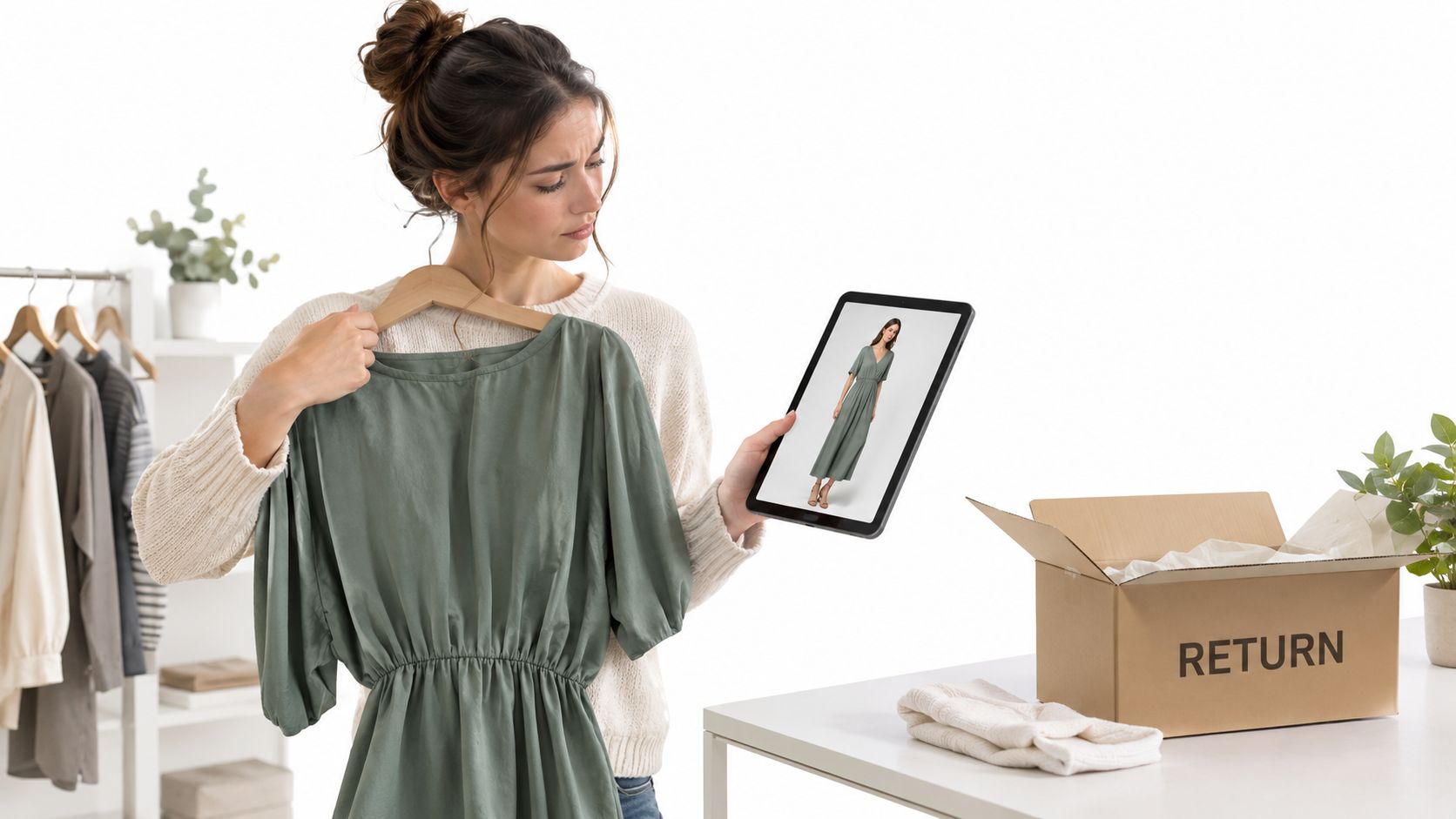
The distinction matters because online apparel returns are estimated at 24.4% in the United States, and 53% of apparel sellers identify size or fit as the leading return reason, according to the ecommerce returns and sizing figures. Those figures don't show that AI imagery causes returns or prevents them. They do underline why teams shouldn't present a generated pose as proof of size, drape, or fit.
Research also indicates that consumers evaluated human fashion-model imagery more favorably than AI-generated imagery for trust and purchase intent, with labeled AI imagery receiving the weakest results in the cited experiment. That finding is a reason to test how a brand presents generated content, not a basis for assuming every shopper responds the same way.
Separate styling from fit evidence
A brand can use generated imagery to show how pieces might be styled together, or to explore a scene for a campaign. Fit claims need stronger foundations: size guidance, garment construction details, and model measurements should remain clear and human-verified. Where fabric behavior or the fit of a particular cut matters, a generated image shouldn't stand in for product information or a real-world fit assessment.
Brands developing AI model imagery can also consider how AI fashion models affect content decisions. The key is to distinguish what the image illustrates from what the product data establishes.
Make trust part of asset governance
Disclosure isn't just a label added at the end. Teams need to decide where and how to explain that an image or person is generated, and to ensure the explanation doesn't blur the difference between a real garment and generated styling. They should also set rules for consent and likeness rights, representation, and how source images and edits are tracked.
A shared history can support those controls. Edit records and API activity can help teams trace what went into an asset and how it changed. Those records are useful not only for production efficiency, but also for review and accountability.
Evaluating Whether an AI Photo Studio Fits Your Roadmap
Evaluate the workflow, not just the quality of a demo image. Bring the people who manage product content, creative review, and technical integration into the conversation, then ask:
- Where would the studio sit in the current content pipeline?
- Can the team share garment and person libraries, and reuse approved references?
- How are team access and credits handled?
- What options are available for high-resolution and social-channel exports?
- How are face-detection warnings shown during review?
Watch for vendors that can't explain how their process handles identity preservation, lack a usable audit trail, or treat disclosure as a minor afterthought. Those gaps can become operational problems once generated imagery moves beyond an isolated test.
Run a focused pilot with a small collection. Agree on garment-fidelity and identity-review criteria before generating images, then compare the pilot's cost and turnaround with the team's last shoot. Make the decision from the work the system can reliably support, not from its most impressive demo.
Vtry AI brings garment import, person references, multi-garment styling, editing, and exports together in a shared fashion imagery workspace, with API access for automation. Visit Vtry AI to assess whether that workflow fits your team's next content pilot.